WIT-400HE Installation Manual
Date: 15/M ar/2012
This Document Contains proprietary information and may not be reproduced or copied without express
Written permission of a duly authorized representative of Ericsson-LG Co.Ltd.
34
6.2.2 Profile Setting of WIT-400HE
(1) Press “AP Scanning” button on navigation up key in the idle status.
(2) Select SSID and press “Add” to add profile.
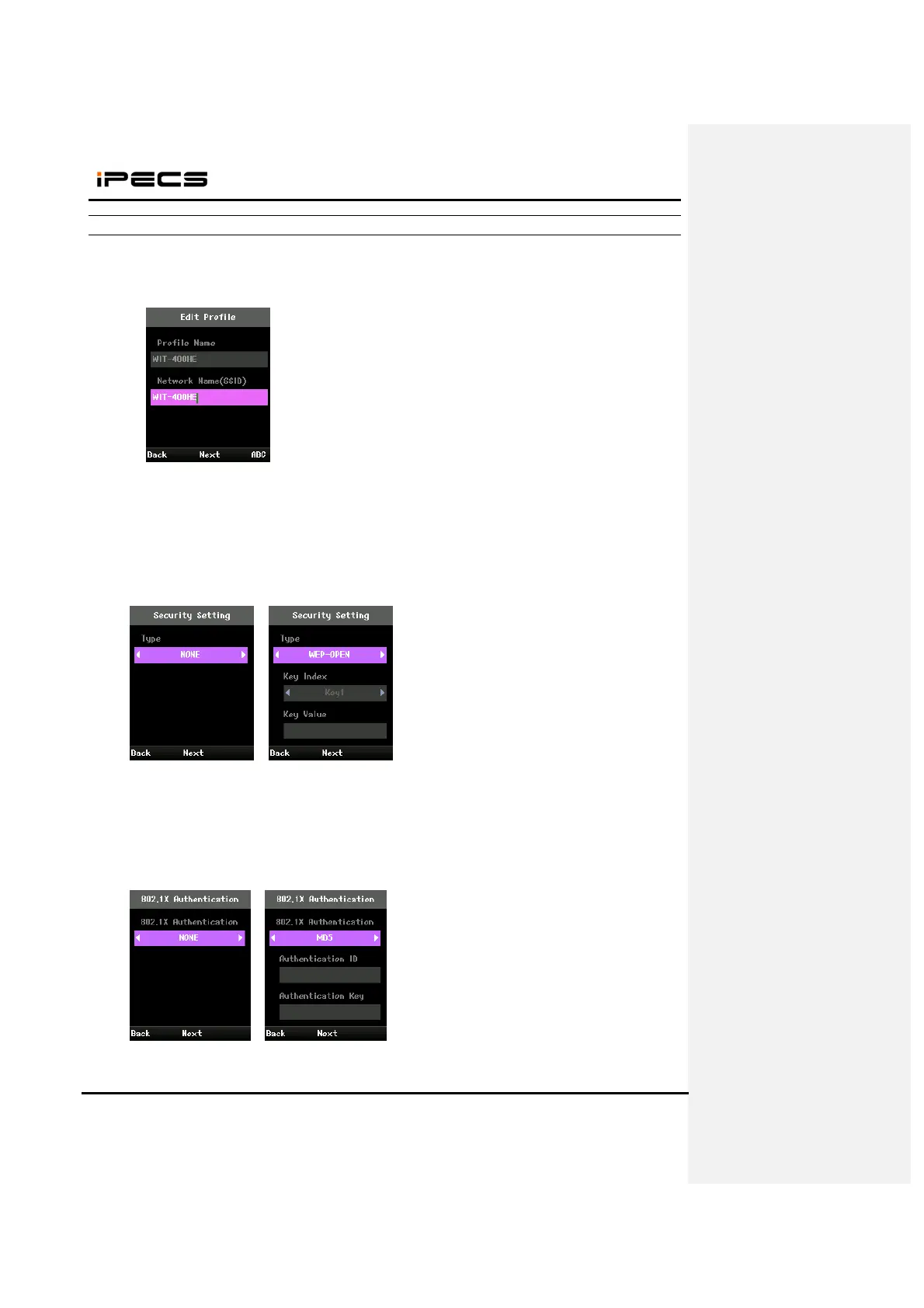
(3) Set Profile Name and Network Name (SSID) and press “Next”.
(4) Set Encryption type and press “Next”.
< Encryption type >
- None
- WEP-OPEN
- WEP-SHARED
- WPA-PSK-TKIP
- WPA-PSK-CCMP
- WPA2-PSK-TKIP
- WPA2-PSK-CCMP
(5) Set 802.1X type and press “Next”.
<802.1X type >
- None
- MD5
- TLS
- TTLS
- PEAP



 To Next Page