4-46
Pulse Shaping
Using the Pulse Shaper Program
Pulse Sequence Activation using the Touch-Screen
Display
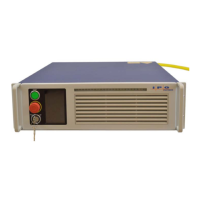
You can use the Touch-Screen Display on the laser’s front panel for manual control.
You can view information about the laser’s state and settings.
After storing a Pulse Sequence to the laser, ensure the E-stop button is released on
the laser. Then press the green button to turn on the power supply.
Note Both Analog and Modulation modes must be set to “Off” to correctly configure the
Pulse Sequence mode. To change them, select Pulse Menu->Pulse Setting.
To activate a Pulse Sequence from the Touch-Screen Display on the laser:
1. Select Pulse Menu->Pulse Setting->Waveform Mode.
2. Toggle Waveform Pulse Mode to Enabled.
3. Select Pulse Sequence.
4. Use the Up and Down arrows to select a specific Pulse Sequence.
5. Pulse Sequence Information/Preview (Optional) - To view information about
the Pulse Sequence, click on the Pulse Browser button. The information page
appears. You can use the arrows to scroll through all available pages.
6. Click anywhere in the text space to go to the Preview page. You can see the
shape of the pulses in the sequence. Use the arrows to see the entire page.
7. Click Return twice to go back to the Waveform page.
It is important to configure the laser with the selected pulse sequence (once)
before usage.
8. Click Configure & Return. After the configuration is complete, click Return
twice to go back to the main page.
9. Click Emission, and then click OK to confirm and start countdown.
The selected pulse is emitted after the countdown. Click Emission again to clear
the status. This also stops a pulse sequence if it is set to infinite repeats.



 To Next Page