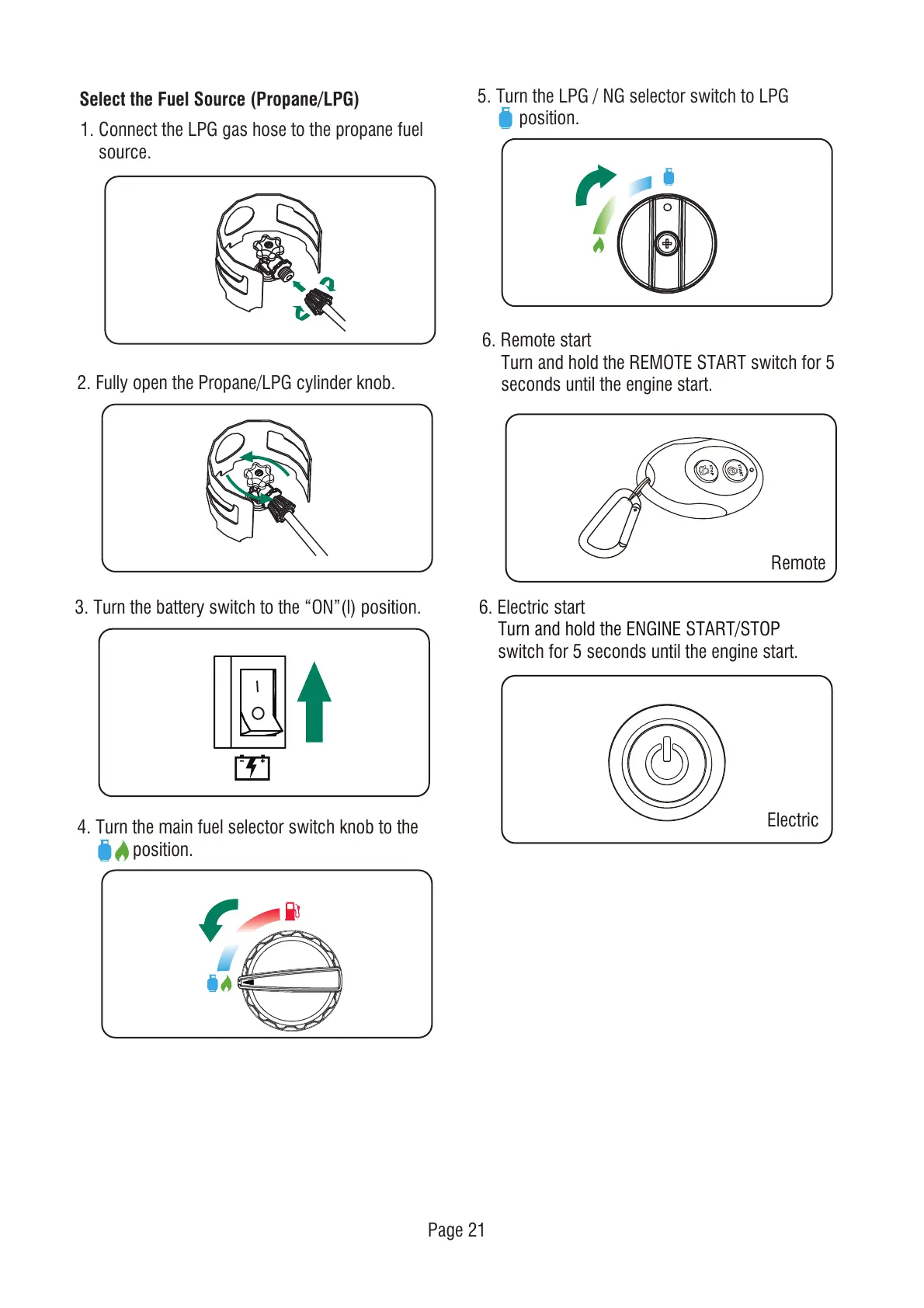
Select the Fuel Source (Propane/LPG)
1. Connect the LPG gas hose to the propane fuel
source.
Page 21
6. Remote start
Turn and hold the REMOTE START switch for 5
seconds until the engine start.
6. Electric start
Electric
Turn and hold the ENGINE START/STOP
switch for 5 seconds until the engine start.
Remote
2. Fully open the Propane/LPG cylinder knob.
4. Turn the main fuel selector switch knob to the
position.
3. Turn the battery switch to the “ON”(l) position.
5. Turn the LPG / NG selector switch to LPG
position.



 To Next Page