III. Operaon
A. Startup and Shutdown
1. Startup
a. Plug M720 power cord into power outlet. For outdoor
installaons, ensure the use of a waterght outlet cover.
b. Turn on the lter pump and verify the water ow through
the ow cell by opening the sample port valve (center)
and observing a steady stream of water. The right side
valve may need to be parally closed to produce a steady
stream. Note: Water should pass over the pH and ORP
sensors for a minimum of 10 minutes to allow for
accurate, stable readings of pH and ORP levels from the
pool or spa.
c. Check for leaks and repair if necessary.
d. Manually adjust and balance the pool or spa water to
acceptable ranges using a DPD-based test kit.
e. Verify that the green Flow LED is illuminated. Both the pH
and ORP dose outputs are disabled if there is no water
ow.
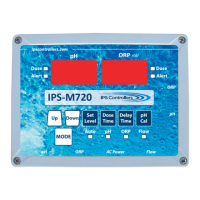
f. Press the Mode pushbuon momentarily to place the
controller into the pH standby mode. The green pH standby
LED will illuminate. Select the desired pH set level and dose
me (connuous or med). Please call us at 877-693-6903
for assistance with inial sengs.
g. While sll in the pH standby mode, press the pH Cal
pushbuon to calibrate the reading to the value observed
through the manual tesng of the water. Note: Always
calibrate using water from the sample port of the ow
cell.
14
M720 pH/ORP Controller Owner’s Manual


 To Next Page