b. The ow switch must be installed for safety reasons to
prevent dosing chemicals when there is no ow in the
circula on piping.
22
M720 pH/ORP Controller Owner’s Manual
Figure 4: Flow Switch Jumper
6. Factory defaults
To return the controller to the factory defaults:
a. Place the controller in pH Standby Mode.
b. Turn o the controller by holding down the Mode
pushbu on.
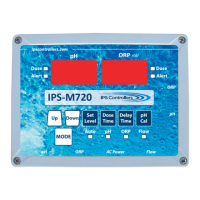
c. Press and hold both the Set Level and pH Cal pushbu ons,
and then press the Mode pushbu on.
d. The pH display will show “Ld” and the so ware version
number will display in the ORP window.
e. The controller will be returned to the factory default func-
ons, and be placed in the test mode.
f. Return the controller to full opera on by turning o the
controller with the Mode pushbu on. Turn the controller
on again by pressing the Mode pushbu on. Note: Failure
to complete this ac on will leave the controller in the test
mode.


 To Next Page