Better Packages Section 2
Operation
15
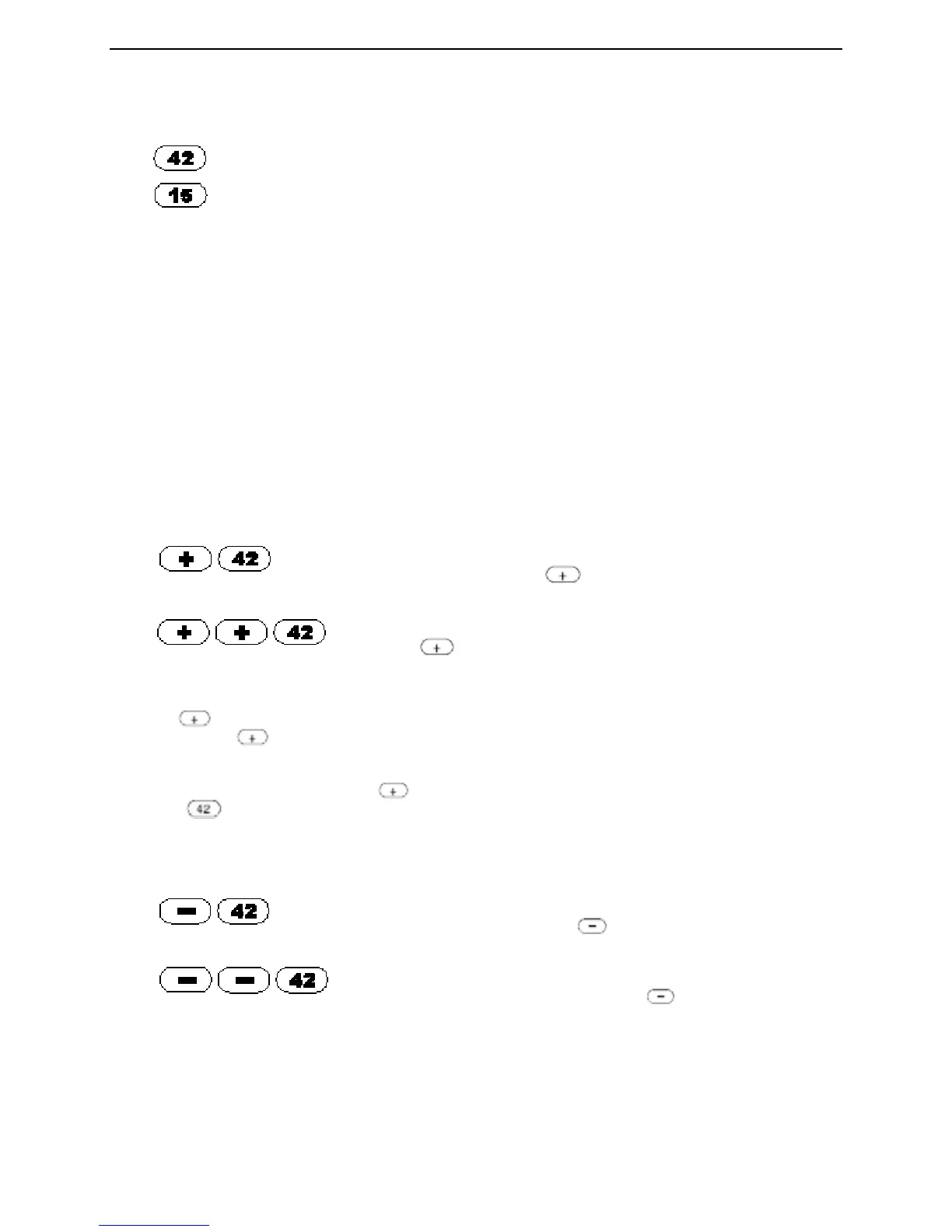
TO DISPENSE A LENGTH OF TAPE EQUAL TO A NUMBER BUTTON LENGTH:
Press To dispense 42”
Press To dispense 15”
TO DISPENSE A SPECIFIC LENGTH NOT ON A NUMBER BUTTON:
• You can add or subtract ½” increments from any number button length.
• You can double any button number length.
• You can adjust a number button length (longer or shorter) and then double it.
• You can repeat the length previously dispensed with a single button.
ERROR NOTIFICATION
NOTE: If you press a combination of keys that doesn’t work, the system lets you know by beeping three
times. If this happens, re-enter the key or combination of keys to produce the length or lengths that you
require.
TO DISPENSE TAPE LONGER THAN THE AMOUNT ON A NUMBER BUTTON:
Press To dispense 42-½”
(one ½” is added for each press of the button).
In this case it is ½” (1 x ½”).
Press To dispense 43” (one ½” is added for each
press of the button.
In this case it is 1” (2 x ½”).
Press the button once for each ½” you want to add to a number button.
You can press the button as many times as you want before you press the number button. For
example;
• To dispense 42-½” of tape, press the button once (to add ½”) and then
press the button. A 42-½” length of tape is dispensed.
TO DISPENSE TAPE SHORTER THAN THE AMOUNT ON A NUMBER BUTTON:
Press To dispense 41-½”
(one -½” is subtracted for each press of the button).
In this case it is 1/2” (1 x ½”).
Press To dispense 41”
(one ½” is subtracted for each 1” press of the button).
In this case it is 1” (2 x ½”).


 To Next Page