Better Packages Section 2
Operation
16
Press the button once for each ½” you want to subtract from a number button. For example:
• To dispense 42-½” of tape, press the button once (to subtract ½”) and
then press the button. A 41-½” length of tape is dispensed.
• To dispense 41” of tape, press the button twice (to subtract one inch) and
then press the button. A 41” length of tape is dispensed.
• You can press the button as many times as you want before you press the number button.
TO DISPENSE A LENGTH OF TAPE TWICE THE LENGTH OF A NUMBER BUTTON:
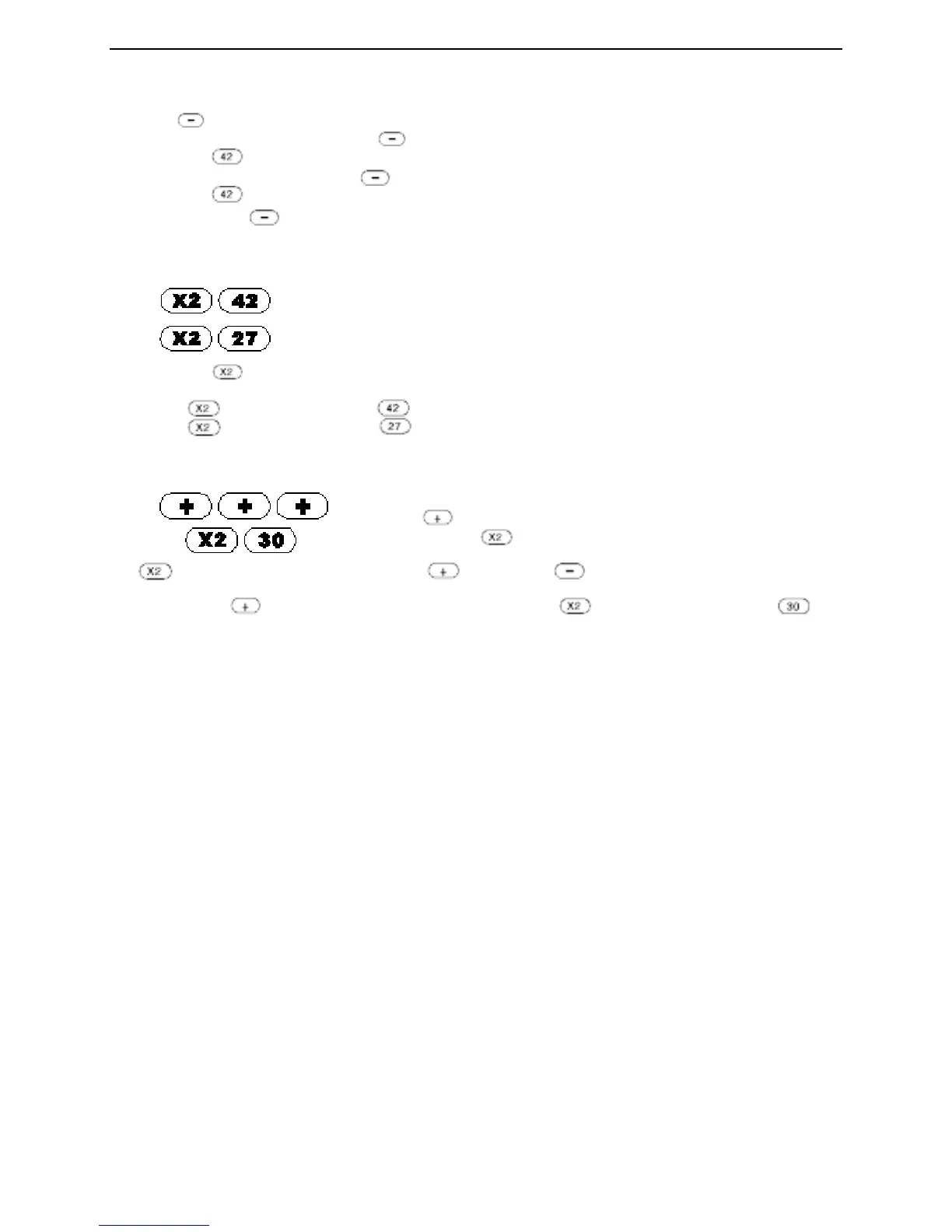
Press To dispense 84”. (2 times 42 = 84)
Press To dispense 54”. (2 times 27 = 54)
First press the button and then press the number button.
For example:
• Pressing and then pressing the button will dispense 84” of tape.
• Pressing and then pressing the button will dispense 54” of tape.
TO ADJUST THE LENGTH OF A NUMBER BUTTON AND THEN DOUBLE IT:
Press To dispense 63”, 30” plus 1½”
(for the three buttons) = 31-½”.
31-½” times 2 (for the button) = 63”.
The button can be used together with the button or the button to double the length of an
adjusted number button. For example;
• If you press the button three times (to add 11/2”), press the button, and then press the
number button, 63” of tape will be dispensed.


 To Next Page