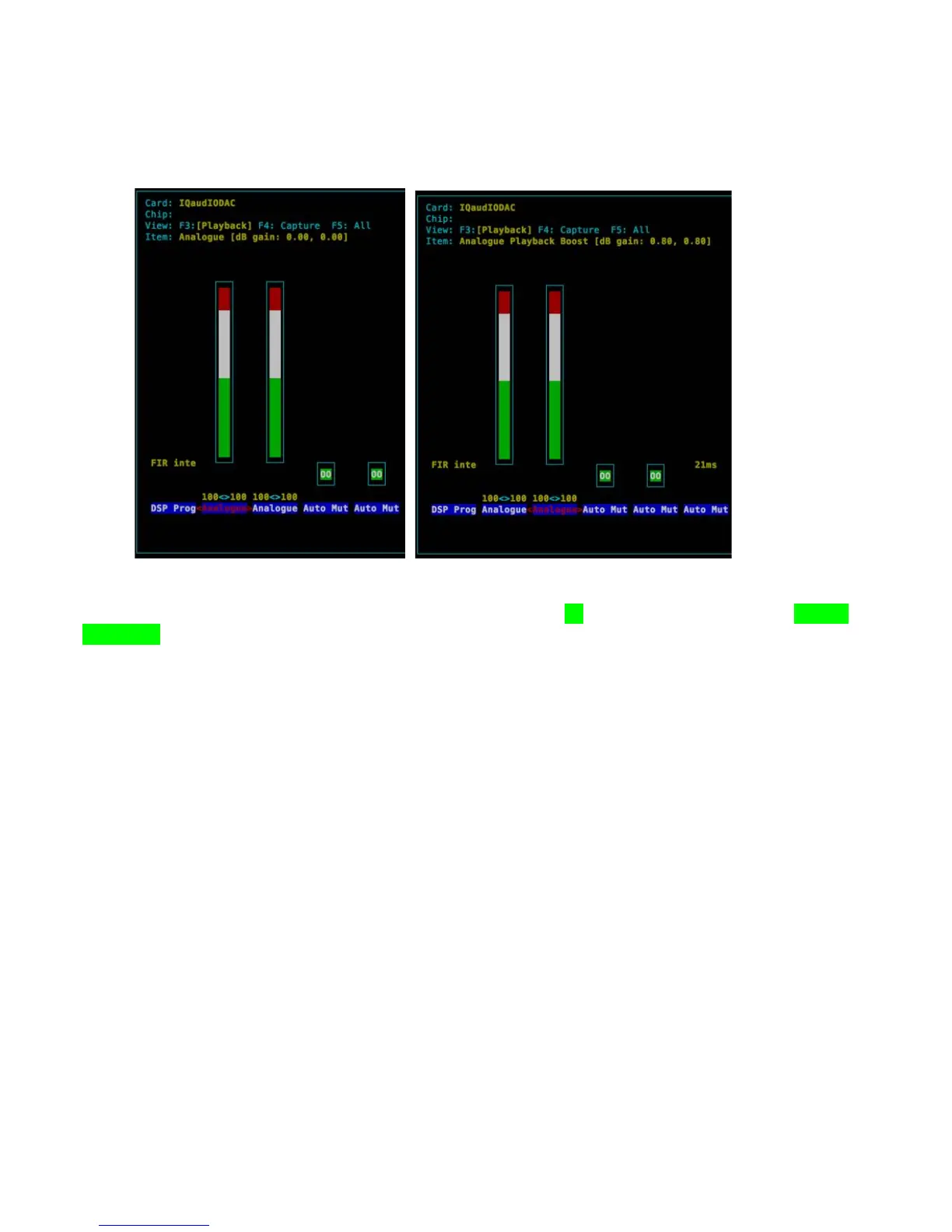
Please note that there are now, from the Feb 2015 Raspbian releases, 3 volume controls for the Pi-
DAC+ / Pi-DigiAMP+. This can be confusing but for simplicity just ensure that the Analogue and
Analoge Playback Boost volume controls are set to Maximum (100)
•
“Digital” is the master volume control 0..100%
•
“Analogue” sets the maximum output to be 1vrms (0% = +0db) OR 2vrms (100% = +6db gain)
•
“Analogue Playback Boost” gives an additional gain of 0.8db and should similarly be set to 100%
! !
Test that audio can be heard through the Pi-DAC+. Notice the hw parameter which points to device 0,
subdevice 0 in the example below. Change these values depending on the specific output of the aplay –l
utility above.
pi@raspberrypi ~ $ mplayer -nolirc -ao alsa:device=hw=0,0 -playlist http://
network.absoluteradio.co.uk/core/audio/mp3/live.pls?service=vrhq
If you don’t have mplayer already installed then this can be done using:
pi@raspberrypi ~ $ sudo apt-get update
pi@raspberrypi ~ $ sudo apt-get install mplayer


 To Next Page