19)
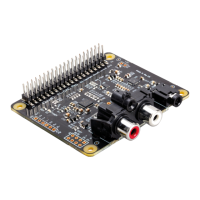
Sonic_Pi and IQaudIO Pi-DAC+/Pi-DigiAMP+
It is now possible to use Sonic_PI with the IQaudIO devices. Simply add the following device tree
overlay to your /boot/config.txt and reboot.
dtoverlay=i2s-mmap1
20)
Saving alsamixer settings
Storing the alsamixer setting can be achieved by performing the following at the command line:
sudo'alsactl'store'
21)
Disabling the standard Raspberry Pi On-Board Audio
Simply commend out the {dtparam=audio=on} device tree parameter in your /boot/config.txt and
reboot.
#'Enable'audio'(loads'snd_bcm2835)'
#dtparam=audio=on1


 To Previous Page