12)
Controlling the Pi-AMP+ / Pi-DigiAMP+’s Mute / Un-mute
MUTE state is toggled by GPIO22 on the Raspberry Pi. The latest IQaudIO device tree supports the
unmute of the AMP through additional parameters (from Raspbian 4.4.14+ onwards) …
dtoverlay=iqaudio-dacplus,unmute_amp
"one-shot" unmute when kernel module loads.
dtoverlay=iqaudio-dacplus,auto_mute_amp
Unmute amp when ALSA device opened by a client. Mute, with 5 second delay
when ALSA device closed. (Re-opening the device within the 5 second close
window, will cancel mute.)
If you do not want to control Mute state through device tree then you can also script your own
solution. The information below may be useful.
# The amp will startup MUTED
# to unmute the amp.''
pi@raspberrypi ~ $ sudo sh -c "echo 22 > /sys/class/gpio/export"
pi@raspberrypi ~ $ sudo sh -c "echo out >/sys/class/gpio/gpio22/direction"
pi@raspberrypi ~ $ sudo sh -c "echo 1 >/sys/class/gpio/gpio22/value"
# to mute the amp once more...
pi@raspberrypi ~ $ sudo sh -c "echo 0 >/sys/class/gpio/gpio22/value"
If you already use WiringPi:
# If using WiringPi - to unmute the amp
gpio mode 3 out
gpio write 3 1
# to mute once more
gpio write 3 0
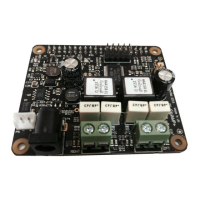
For the Pi-AMP+ MUTE may also be disabled at startup by using a jumper across the P9 pins. You
may experience a loud crack / pop through attached speakers on power up if this is done. No such
jumper pin is available on the Pi-DigiAMP+#
For automatic unmute on boot, add the following lines to /etc/rc.local (before the exit(0))
#Unmute the Pi-AMP+
echo "22" > /sys/class/gpio/export
echo "out" >/sys/class/gpio/gpio22/direction
echo "1" >/sys/class/gpio/gpio22/value


 To Next Page