18)
Adding an IR (Remote Control) Sensor
Similar to the Rotary Encoder example above, it is possible to control the Pi-DAC+ volume control
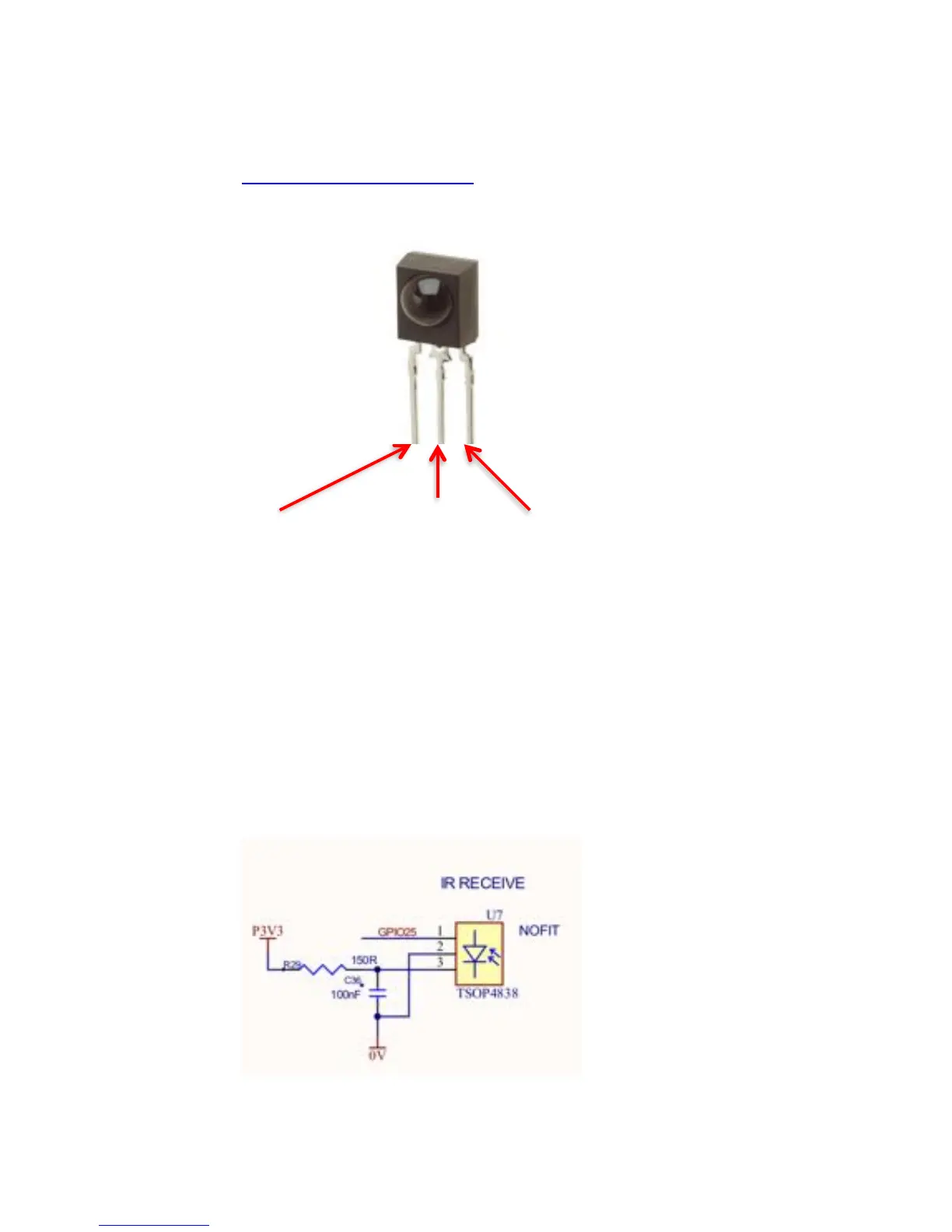
through the use of a remote control and IR sensor (a Vishay tsop4838 for example). This requires a
little more setup in terms of software than the Rotary Encoder, please refer to the LIRC setup guides
but you should ensure that LIRC is set to use GPIO25 as an input. Example code / utility is available
from our github site: www.github.com/iqaudio/tools
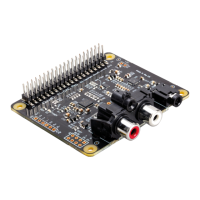
For H/W setup we recommend that the IR sensor should be connected as below.
IQ_ir needs to be run with root privileges (sudo IQ_ir) and needs the WiringPi library to be pre-
installed. If being run at startup (in /etc/rc.local) make sure that the call is done as a separate process
(for example as: /usr/pi/iqaudio/tools/IQ_ir&)
By default IQ_ir uses the mixer name PCM – if the driver’s volume control mixer is not “PCM” then
the IQ_ir source code will need to be modified to access the correct mixer.
NOTE: For Pi-DAC+ Black edition, there is a direct header (U7) where this IR receiver can be
soldered.


 To Next Page