Getting started
Connecting the product
21
Getting started
Connecting the product
20
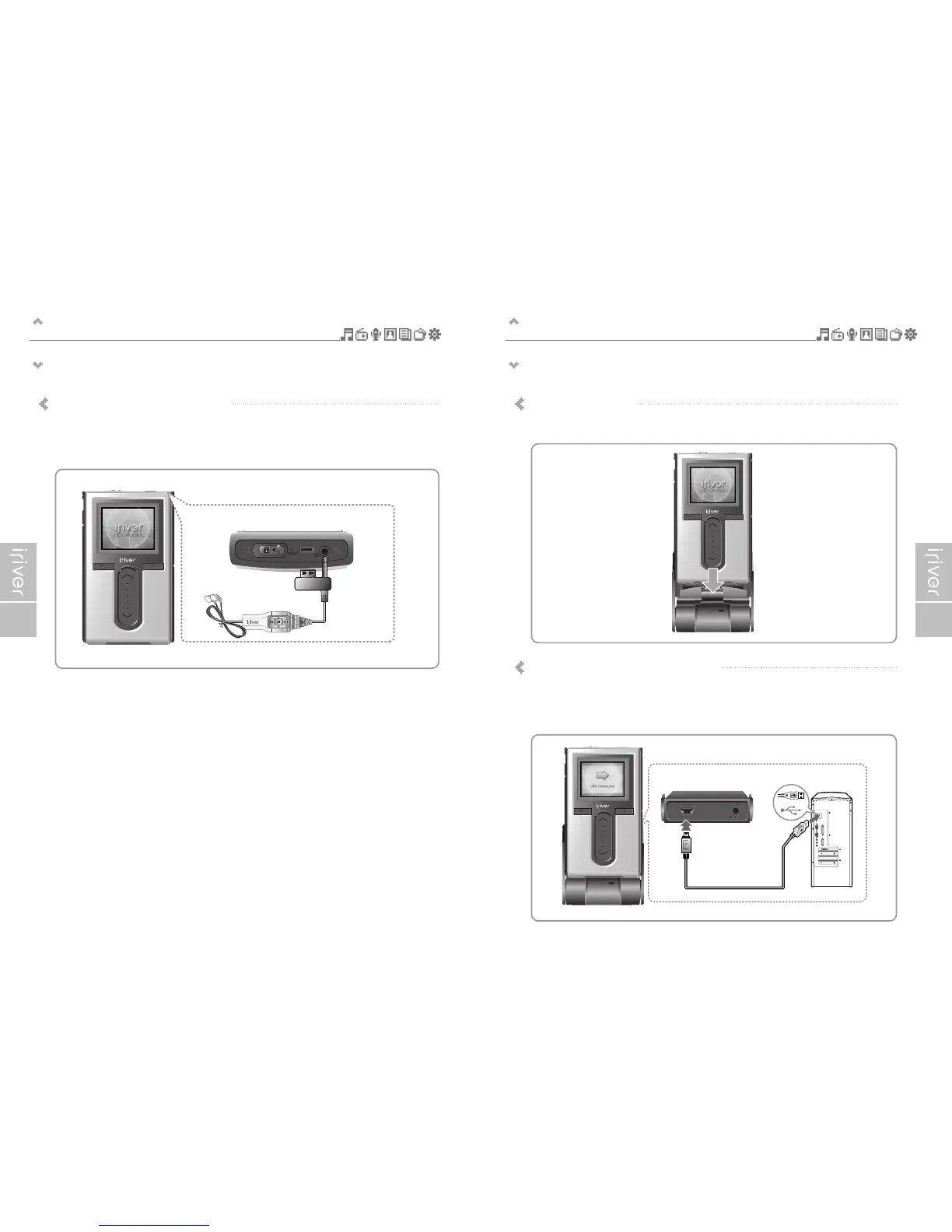
Connecting earphone/remote control
(Remote control is an optional accessory.)
1. Connect the remote control to the jack on the top of the player.
2. Connect the earphone to the jack of the remote control.
<Top of the player>
Connecting the cradle – Connecting PC
(Cradle is an optional accessory.)
1. Put the player into the connection terminal of the cradle.
2. Connect the USB 2.0 jack of the cradle to a PC with USB cable.
(USB cable is an optional accessory.)


 To Next Page