Useful features
Settings menu navigation
58
Useful features
Menu settings
59
Customizing the function settings
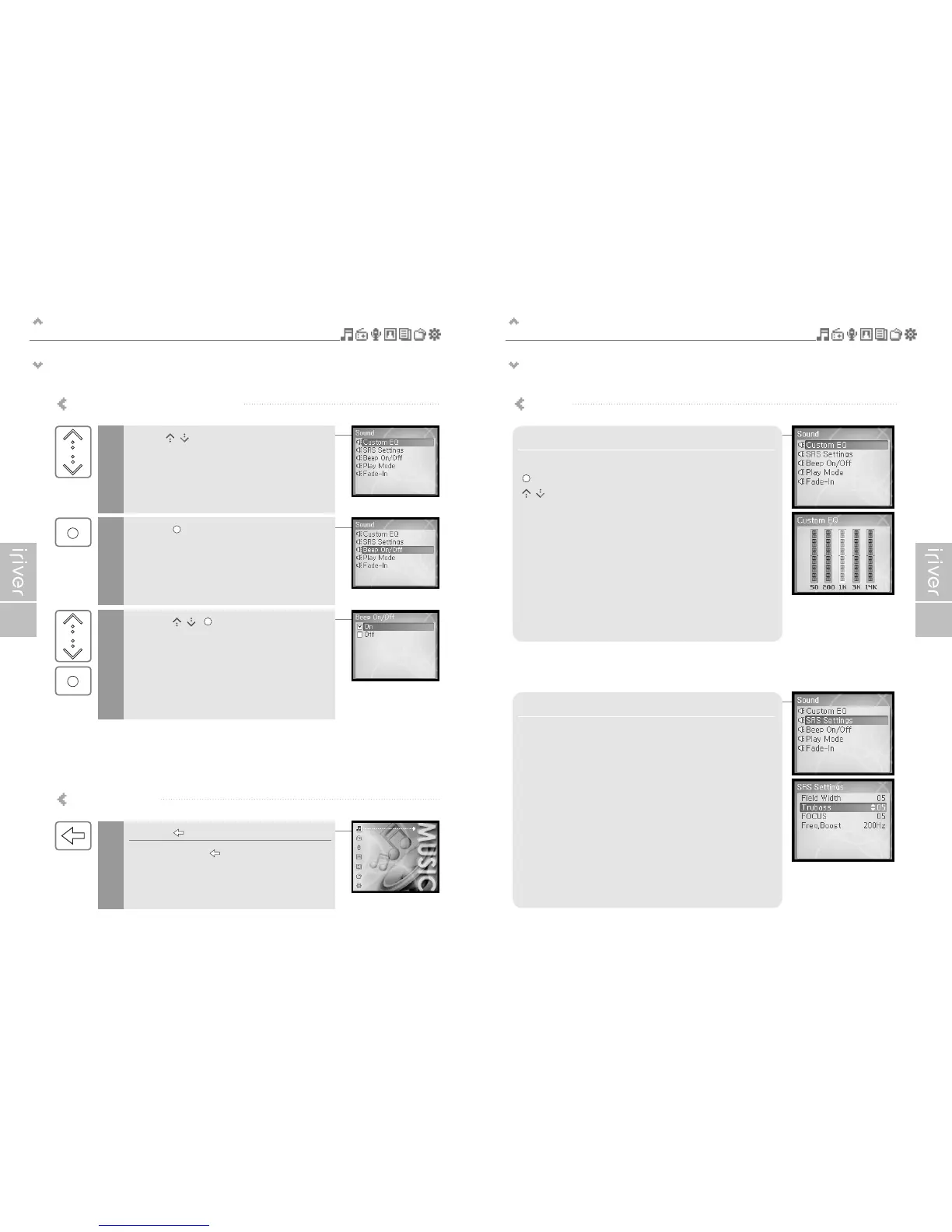
Use the [ / ] scroll on the main menu.
1
Press the [ ] button to display the contents of
that sub menu.
2
Press the [ / , ] button to customize
the function setting.
3
Exit the sub menu
Press the [ ] button to exit the sub menu.
Press and hold the [ ] button to return to
the main menu.
1
1. Custom EQ
Various frequency bands can be selected and customized.
[ ] : Changes frequency band
[ / ] : Selects frequency level
2. SRS Settings
Sets the level of 3D effect.
There are 4 types of 3D effect including Field Width, TruBass,
FOCUS and Freq. Boost.
Field Width : Sets the Field width value.
TruBass : Sets the Trubass value.
FOCUS : Sets the sound resolution.
Freq. Boost : Sets the sound boost value.
Sound



 To Next Page