Useful features
Menu settings
62
Useful features
Menu settings
63
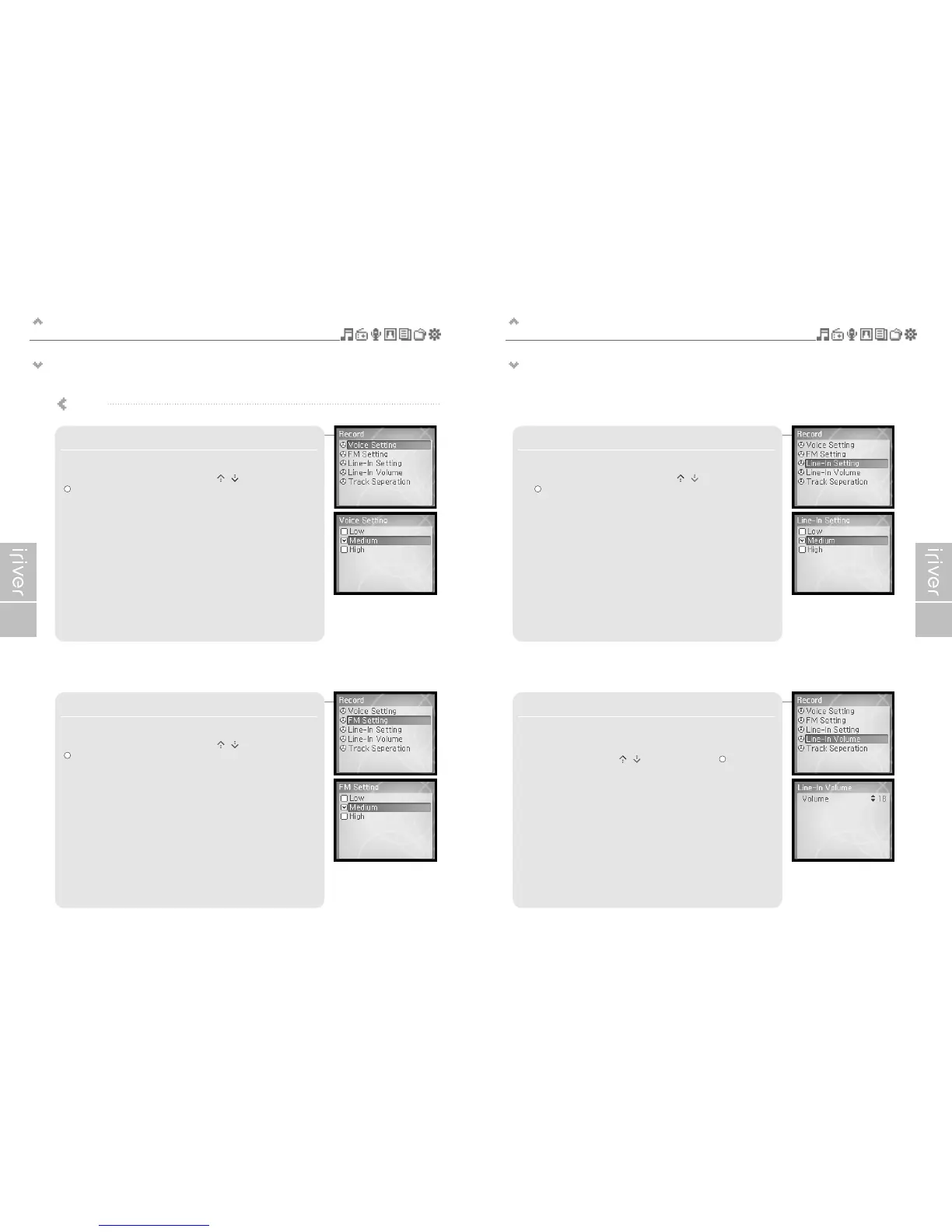
3. Line–In Setting
Sets the quality for recording from external device.
Select <Low>, <Medium>, <High> using the [ / ] scroll and press
the [ ] button to confirm it.
4. Line–In Volume
Controls volume for recording from external device.
<1 to 21> levels are available.
Select the volume using the [ / ] scroll and press the [ ] button to
confirm it.
1. Voice Setting
Sets the quality of voice recording.
Select <Low>, <Medium>, <High> using the [ / ] scroll and press the
[ ] button to confirm it.
2. FM Setting
Sets the quality of FM recording.
Select <Low>, <Medium>, <High> using the [ / ] scroll and press the
[ ] button to confirm it.
Record


 To Next Page
 Loading...