Basic operation
Recording
47
Basic operation
Recording
46
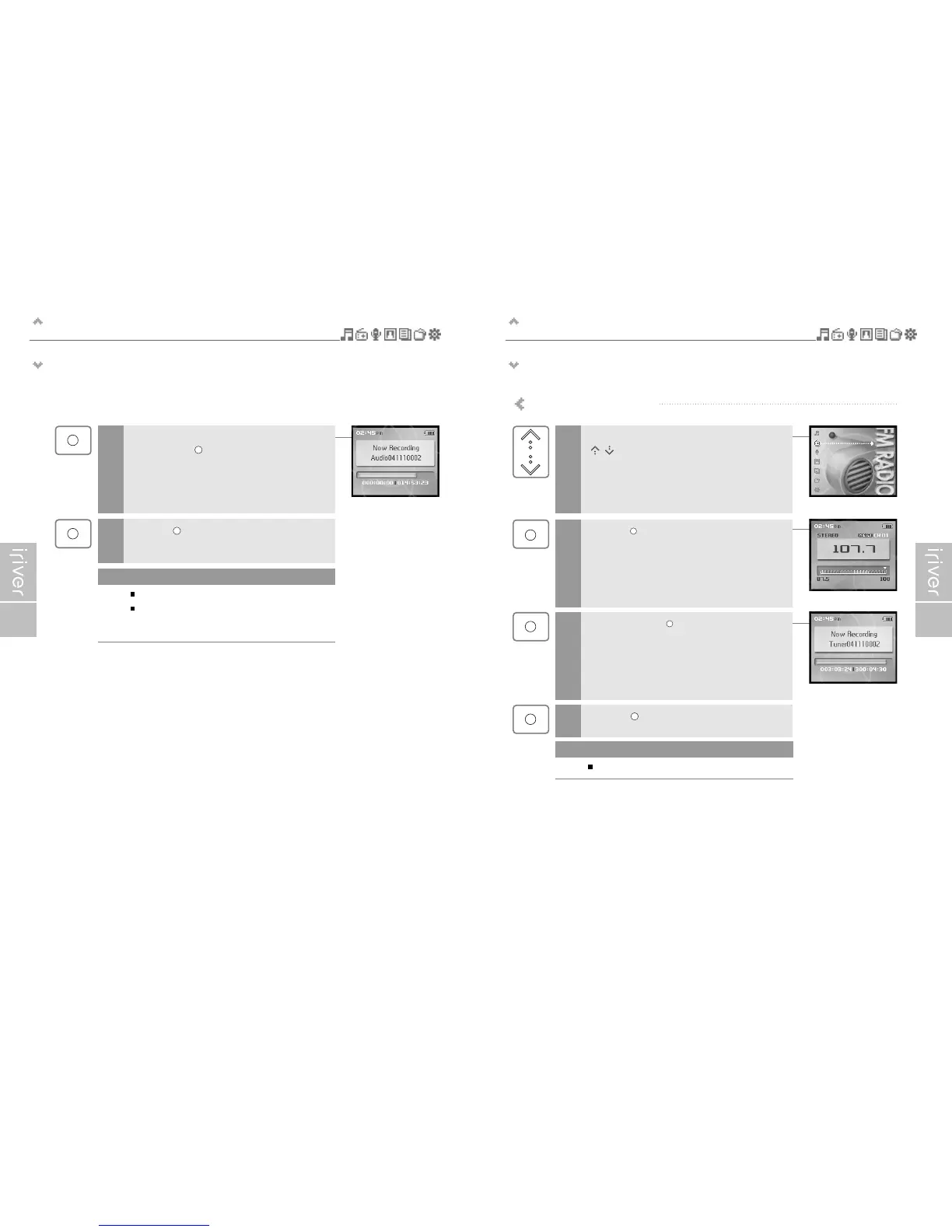
Recording FM radio station
Select the <FM RADIO> mode using the
[ / ] scroll from the main menu.
1
2
Press and hold the [ ] button to record radio
broadcasting while listening.
3
Press the [ ] button to stop recording.
4
Press the [ ] button to switch to Radio mode.
Volume control is not available while recording.
Note
Begin playback on the source.
Then press the [ ] button to start recording.
3
Press the [ ] button to stop recording.
4
Volume control is not available while recording.
You can change the recording quality and volume in the
<Line-In Setting> and <Line-In Volume> menus.
(Refer to page 63.)
Note


 To Next Page