24 iRobot Looj 300 Series Owner’s Manual
iRobot Customer Care USA
If you have questions or comments about this product please
contact iRobot before contacting a retailer.
Please visit www.irobot.comforsupporttips,frequentlyaskedquestions,
or information about accessories and other iRobot products. We would like
to hear from you.
Should you still need assistance:
• VisittheiRobotsupportsiteatwww.irobot.com/support
• Callourcustomercarerepresentativesat877.855.8593
iRobot Customer Care Hours:
• Monday–Friday9AM–7PMEasternTime
• Saturday9AM–6PMEasternTime
iRobot Customer Care International
To contact an international partner near you for sales and technical support,
visit www.irobot.com/international.
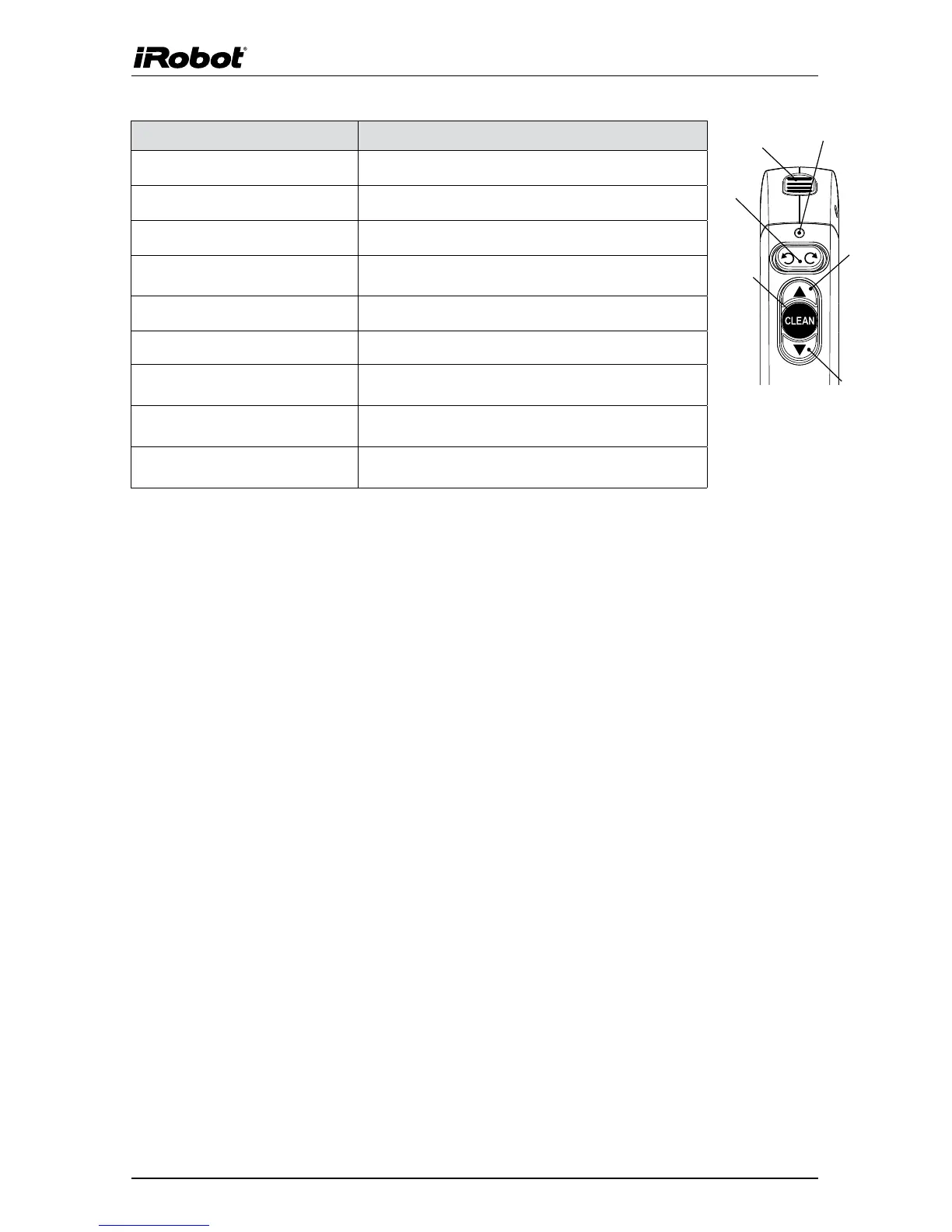
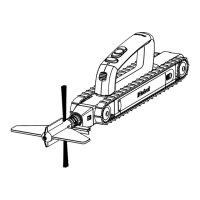
Robot buttons and controls Robot Action
HandleReleaseButton Detaches the handle from the robot
Auger Spin (Direction Left) Spins the auger to the left
Auger Spin (Direction Right) Spins the auger to the right
AugerNeutralPosition(Buttonin
Center Position)
Auger will not spin (Do not use while driving in
gutter)
PressandHoldForwardButton Movestherobotforward
PressandHoldReverseButton Movestherobotbackward
Click once and Hold Forward
Button
Movestherobotforwardathalfspeed
DoubleClickReverseButton Automaticallybackstherobotup.Noneedtohold
the backward button.
Press“Clean”Button Puts the robot in auto mode to clean your gutters
on its own
Robot Controls
Forward
Remote
Indicator LED
Auger Spin
Direction
Auto-Clean
Reverse
Handle
Release








 To Next Page