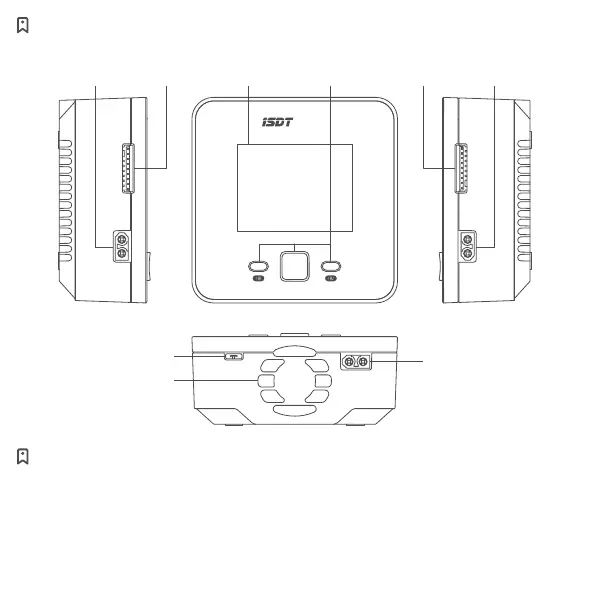
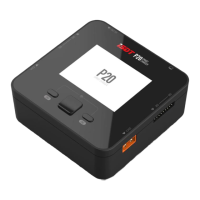
Port / Button
Key operation instructions (under standby interface)
CH1 Channel selection button: Short press to enter the CH1 detailed parameter interface,
Long press to enter the CH1 task setting menu.
CH2 Channel selection button: Short press to enter the CH2 detailed parameter interface,
Long press to enter the CH2 task setting menu.
Long press the CH1 and CH2 button at the same time: Enter the advanced settings menu.
SMART
CHARGER
P20
Fan Vent
CH1
Balance Port
Display
Screen
Channel Selection
Button &
Direction
Button
CH1 Power
Output
CH2
Balance Port
CH2 Power
Output
USB-C Upgrading Port
Power Input


 To Next Page