12
Ishida Setup & Calibration Manual
2.5 CWS Series
Follow the steps below to set up and calibrate the CWS Series scale.
LB and OZ Calibration Procedure
Step Action Display
1Turn off the scale.
2Press and hold the TARE and ZERO keys, then press and release the ON/OFF key.
3 Release the TARE and ZERO after the display goes blank. – 1888
4Press the TARE key while the numbers are scrolling to enter the setup mode. If you do not
press TARE, the CWS proceeds directly to Step 14 for calibration.
1, 2, 3, 4 . . .
5 Enter the scale capacity code using the ZERO key. (See table below). C1 – N
1
6Press the TARE key. C1 – N
1
7 Use the ZERO key to select either: 5 = Auto Off or 7 = Continuous On. C2 – N
2
8Press the TARE key. C2 – N
2
9 Use the ZERO key to set to F. NOTE: Do not enter 6. C3 – N
3
10 Press the TARE key. C1 – b
11 Use the ZERO key to set to 4. C4 – N
4
12 Press the TARE key. C4 – 2
13 Review the settings. If the settings are correct, press TARE. If not, turn the scale off, then on
again, and re-enter the settings.
2 B N
2
N
1
14 The X’s represent the internal reference counts. Press the ZERO key. xxxx
15 With no weight on the scale, press ZERO until the display shows 2000 counts. 2000
16 Place the calibration weights on the scale as follows:
5 Lb capacity = 5 Lb weight
10 Lb capacity = 10 Lb weight
19 Lb capacity = 25 Lb weight
2000
17 Press the TARE key. yyyy
18 The system performs calibration CAL
19 The span count should read 6000. If not, repeat the setup process from Step 15. 6000
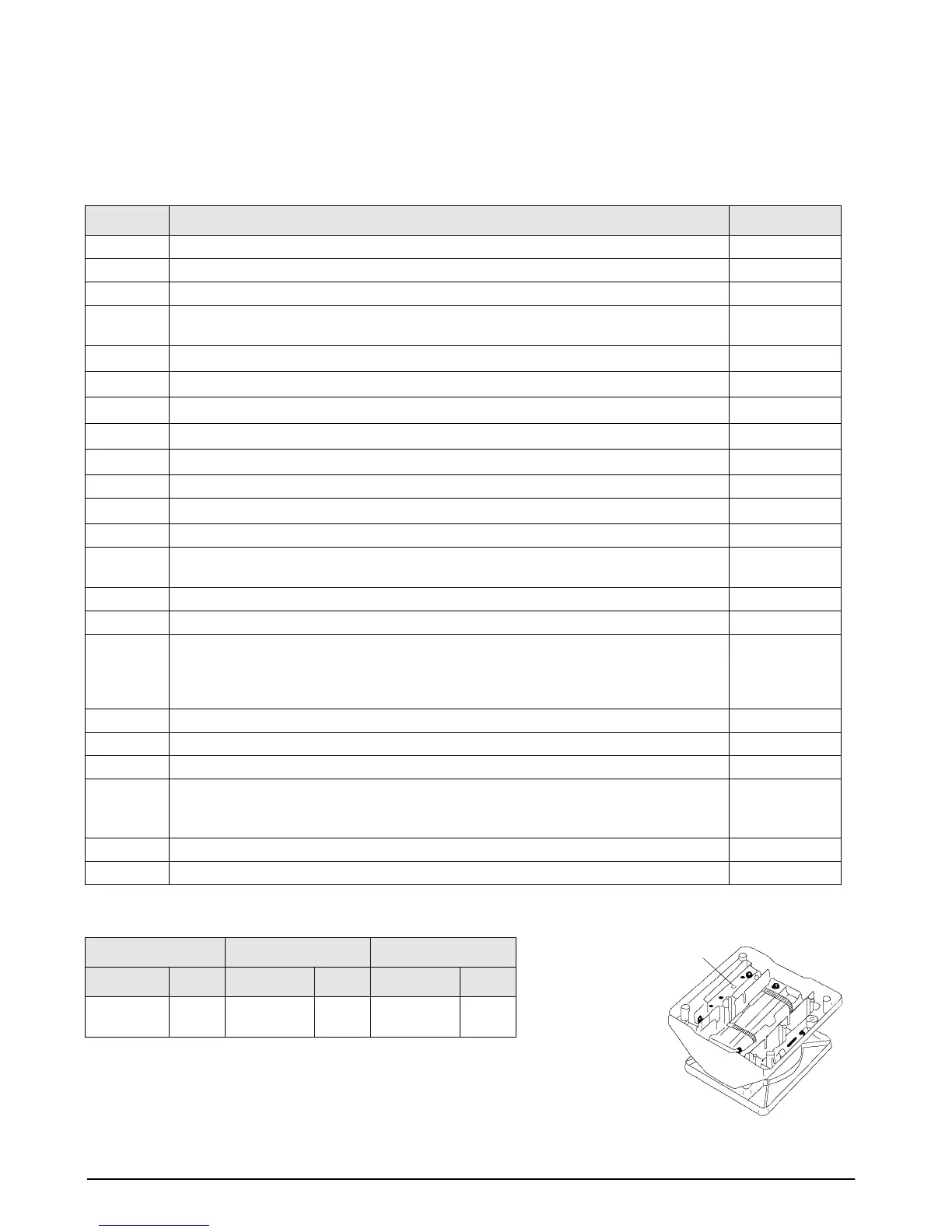
20 Turn the scale over and use a non-metallic device to press the memory switch to store the
information (see diagram below). NOTE: Using a metallic device can damage the unit. The
display flashes
“P–EP.”
6000
21 Return the scale to an upright position, then turn off the scale. 6000
22 Turn the scale on again and test the calibration by placing a known weight on the scale.
CWS-oz-05 CWS-oz-10 CWS-oz-19
Capacity Code Capacity Code Capacity Code
5 Lb x 0.1
oz
0 10 lb x 0.2 oz 1 19 lb x 0.5 oz 2
Table 2-2. Lb/Oz Scale capacity codes
Memory Switch


 To Next Page
 Loading...








