13
ACCESSORIES
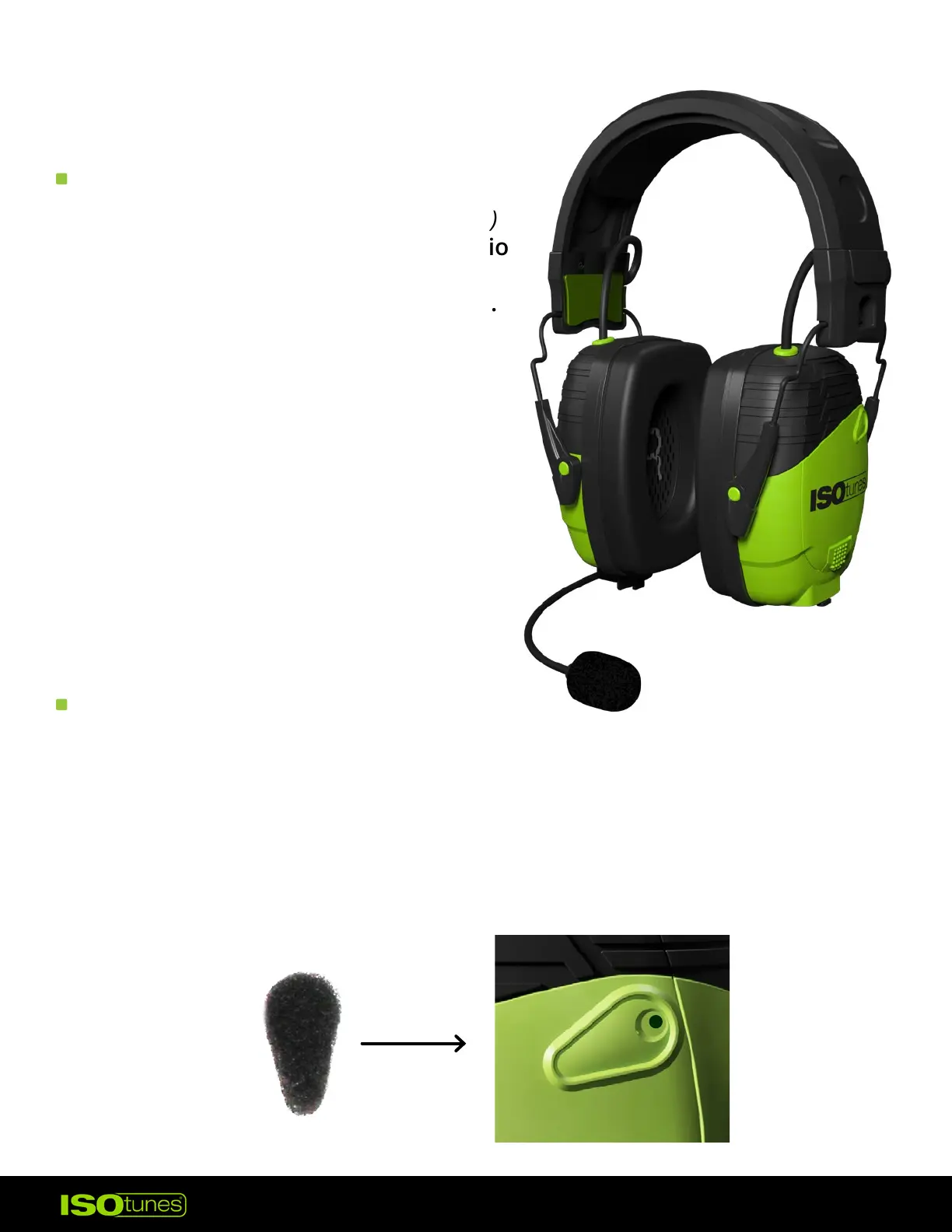
BOOM MIC
WIND NOISE FILTERS
The ISOtunes Boom Mic (sold separately)
is used to enhance phone or radio audio
quality. The Boom Mic accessory is
available for purchase on our websites.
1. Open the microphone port cover on
the right earcup by pulling down
on the exposed tab, then align the
base and the 3.5 mm jack of the
Boom Mic and insert.
2. Press rmly to ensure that it’s fully
seated.
3. Remove the Boom Mic for storage
or when not in use.
1. Carefully peel one wind noise lter from the sheet.
2. Align with the microphone panel on the earcup. The foam should fully
cover the microphone section.
3. Press the wind noise lter down to fully adhere to the earcup.
4. Repeat with the other earcup.


 To Next Page