8
DUAL CONNECT
1. This product can connect to two devices simultaneously, for example –
your phone and your computer.
2. Pair and connect to your rst device as described in Bluetooth Pairing.
This will be Device A.
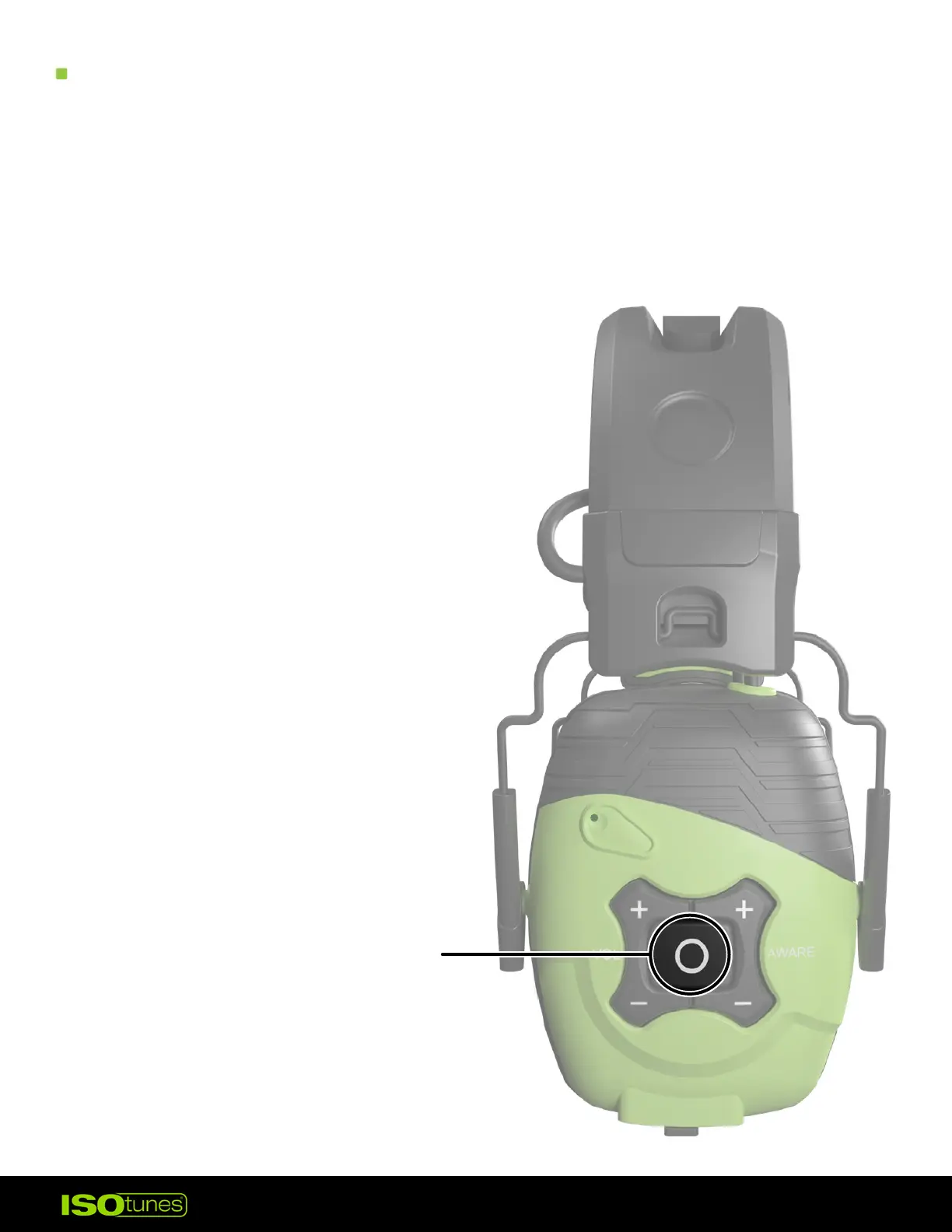
3. Press and hold the multi-function button (MFB) for 7 seconds.
4. Continue holding the button until
you hear “Power O” and
then “Bluetooth Pairing Mode�”
5. Pair and connect to the 2nd device
as described in Bluetooth Pairing.
This will be Device B.
6. On Device A, go to the Bluetooth
settings and connect to the
LINK Aware. Both devices are
now connected.
PRESS AND HOLD
FOR 7 SECONDS


 To Next Page