MULTIPROGRAM MODE PAYMENT SYSTEM
MULTIPROGRAM MODE PAYMENT SYSTEM
With Buy time payment systems, the buttons are associated to pre-set program sequences, each sequence
consisting of a number of programs. The display shows the amount of money when either coins or code (Codax
system) is inserted.
COIN PAYMENT SYSTEM
1
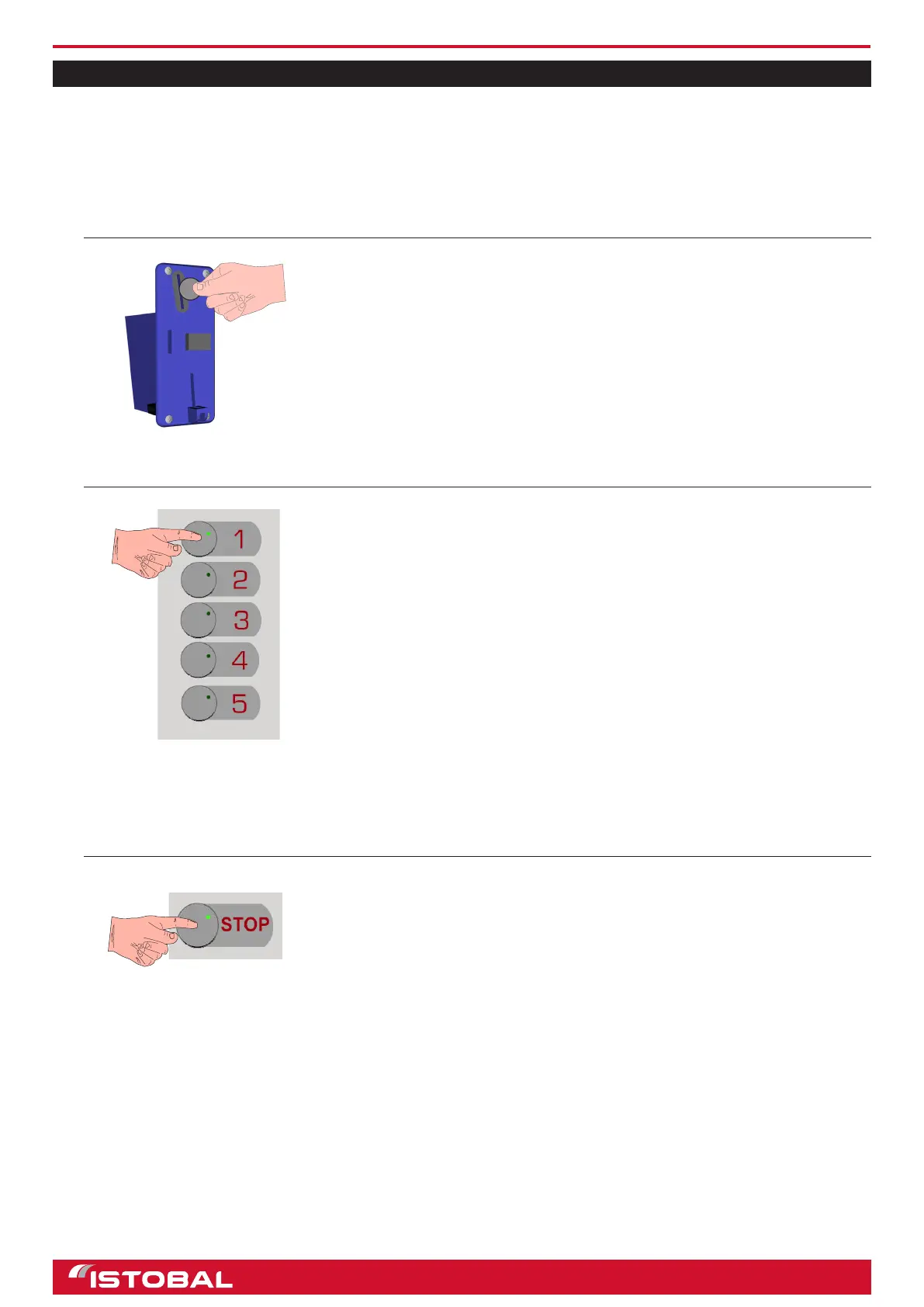
INSERT COINS
1) Keep inserting coins in the coin acceptor slot until the amount required
for the desired wash sequence is shown. The display will show the
amount of money inserted.
• The system is not designed to return unused coins or tokens. It does
however have a device that rejects coins when it detects a fault or a
power failure.
2
SELECT WASH PROGRAM
1) Take the gun or lance out of holder.
2) Press the corresponding program sequence using the program selection
buttons; the wash bay will start working.
• During the wash, the display shows the program in progress and the
time remaining for each program in the sequence.
• If the lance or the gun have to be changed for a brush or vice versa,
the display will also indicate it.
3) When the wash is nished, leave the gun or the lance in their
corresponding holders.
3
STOP WASH
1) To stop the washing process, press STOP once.
• When STOP is pressed, the wash stops but the time continues to
count down.
2) To resume the wash, press STOP again. The message ‘TO CONTINUE,
PRESS THE STOP BUTTON’ will be shown on the display.
• The wash will continue in the corresponding phase depending on the
time elapsed.
17


 To Next Page