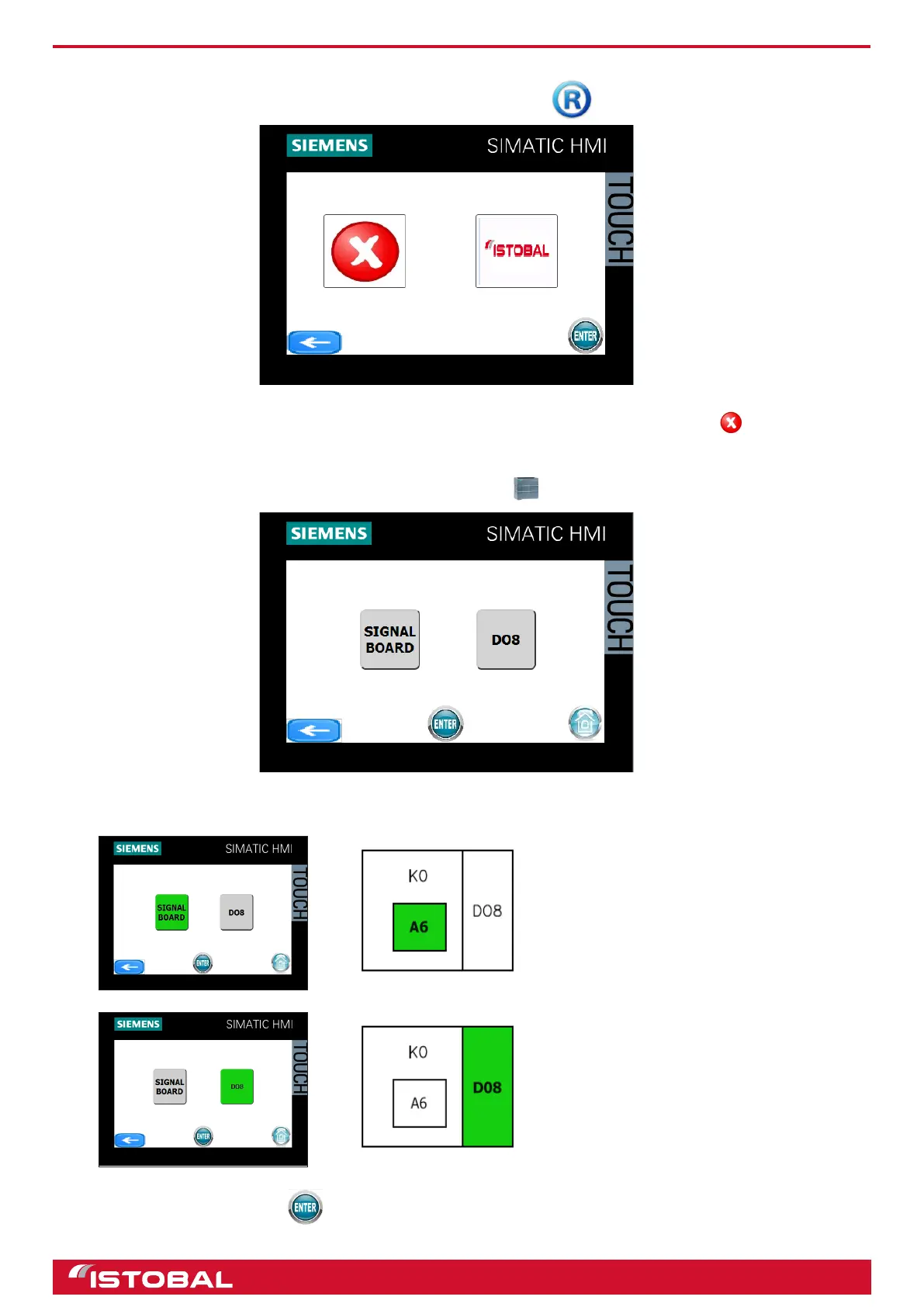
SIEMENS KTP400 touch-screen screen
SHOW LOGO ON DISPLAY
Go to SHOW LOGO ON DISPLAY from the main menu by pressing .
You will see the logo on the display of the control board. It can be enabled/disabled pressing .
CPU PARAMETERS
Access CPU PARAMETERS from the main menu by pressing .
You can connect and disconnect
the A6 digital module from the
main power switching system on
the cabinet inside the CPU.
You can connect and disconnect
the D08 digital module from the
main power switching system on
the cabinet.
After making the changes, press and restart the CPU.
40


 To Next Page