OPERATION
CONFIGURATION
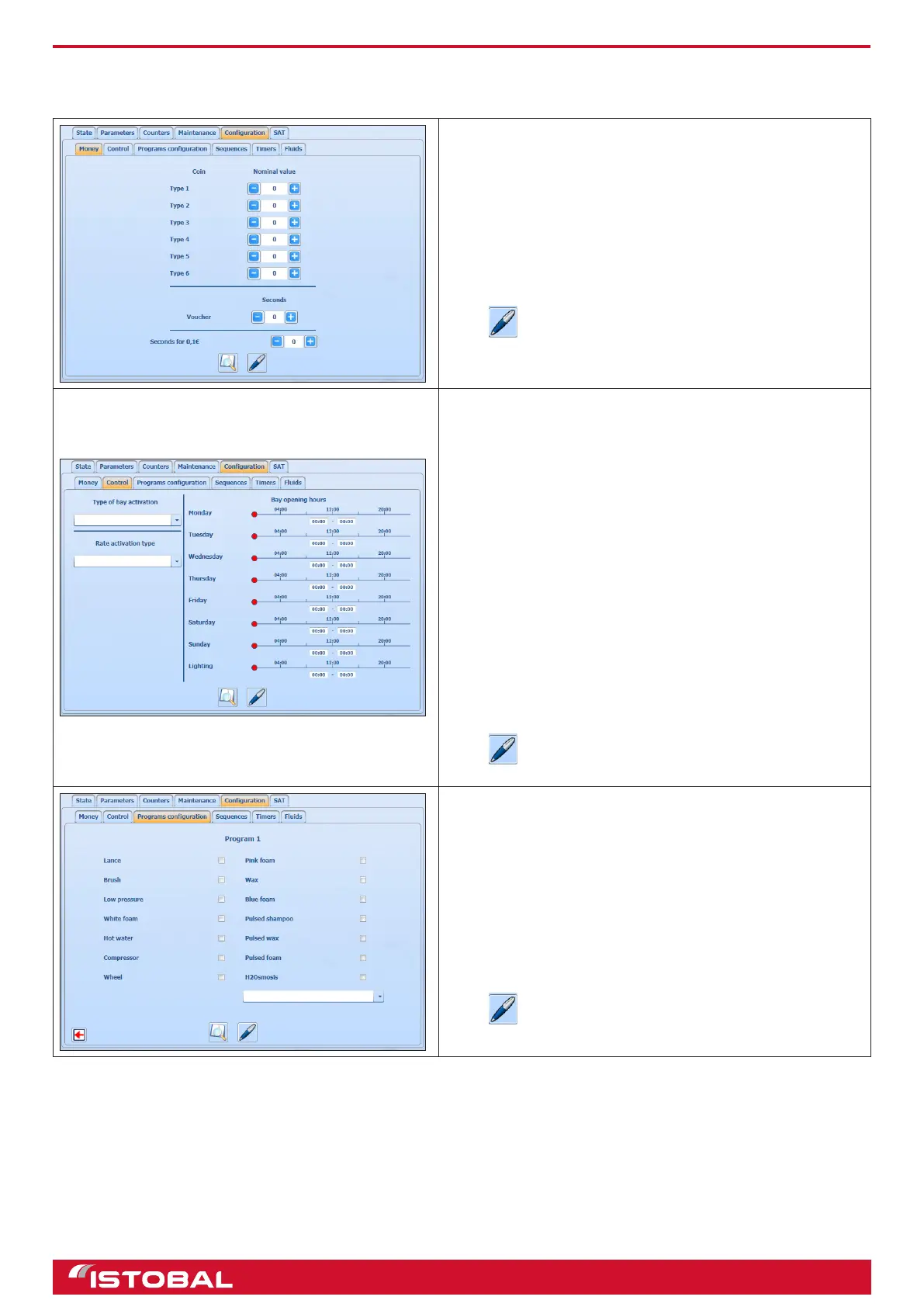
This screen is for conguring the parameters for money, control, program, sequence, timers and uids.
MONEY
On the money screen you can assign the monetary value
of each type of coin. Up to 6 different types of coin can be
congured.
You can also congure the duration of the tickets and the
minimum time in intervals of 10 centimes.
Press to save the data entered.
CONTROL
The control screen is for conguring the type of bay
activation, the type of price rate activation and the bay
opening times.
The types of bay activation are:
Permanently out of service.
Always in service.
As scheduled. This type obeys the schedules indicated on
the timetable advertised.
The types of price rate activation are:
Normal rate: The washes have the prices normally used.
Manual mode: works without credits
In the example shown here, the jet wash will be in service
as scheduled and in this case, the timetable is Monday to
Sunday from 8:00 a 21:00. The 'lighting' parameter indicates
when the jet wash will be illuminated.
Press to save the data entered.
PROGRAM CONFIGURATION
This screen is for conguring the elements involved in each
program. First, select the program to be congured and
then the functions which will be enabled on it. On the drop-
down menu near the bottom, you can select the name of the
program which will appear on the jet wash display.
The example shows Program 1, which will be hot water with
high pressure and shampoo.
Press to save the data entered.
21


 To Next Page