OPERATION
IWMANAGER (OPTIONAL)
This allows you to control, monitor and congure the units connected to a CAN network using the computer program
supplied.
A computer is needed for this with the following minimum requirements:
• PC Pentium 800, 64 Mb or higher.
• Operating System: Windows 98 or higher.
• Screen resolution 800x600.
For more information, consult User Guide Ref. 32VJ500A.
UNDERSTANDING THE BUTTONS
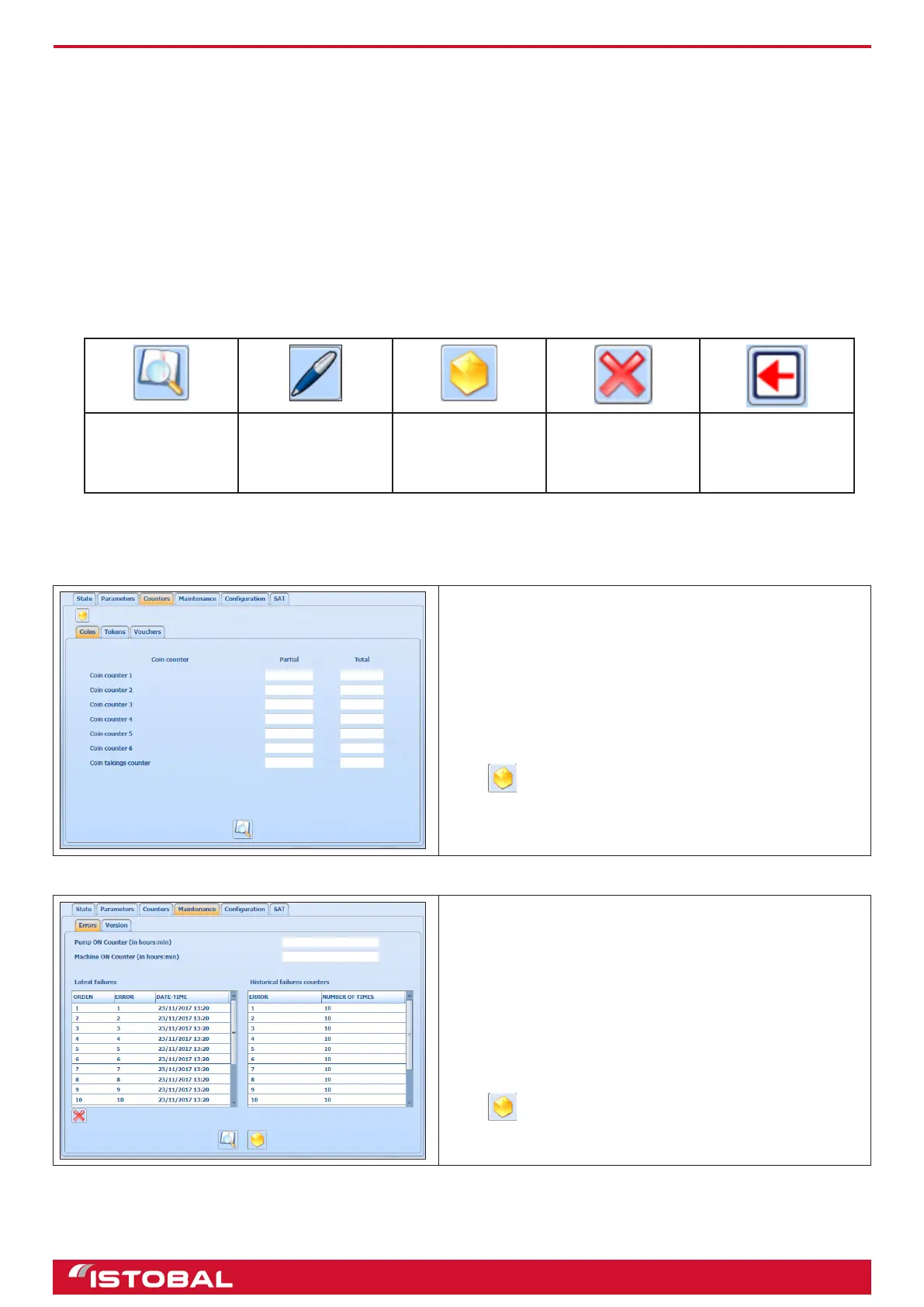
Read.
Obtain the program
data
Write.
Save the data
entered
Save.
Create a CSV
le with the data
recorded
Delete.
Erase the selected
entry
Back.
Return to the
previous screen
CONSULTING THE COUNTERS
The IWManager system offers partial and total counters, tokens and tickets. Partial counters cannot be erased in
this program.
On the different tabs, you can consult the number of coins,
tokens and tickets inserted as well as the total takings at the
end of each list.
The amounts shown in each numbered coin counter eld are
for the coins congured in the section CONFIGURATION-
MONEY.
Press to save a CSV le with the takings data shown.
ERRORS
The errors screen shows two lists: one on the left with the
last fteen errors produced on the facility, and another on the
right with a counter for the number of times each error has
occurred. Also, above the lists, there are two counters: one
for the amount of hours the pump has been in operation, and
the other for the amount of hours the machine has been in
operation.
Press to save a CSV le with the data shown.
20


 To Next Page