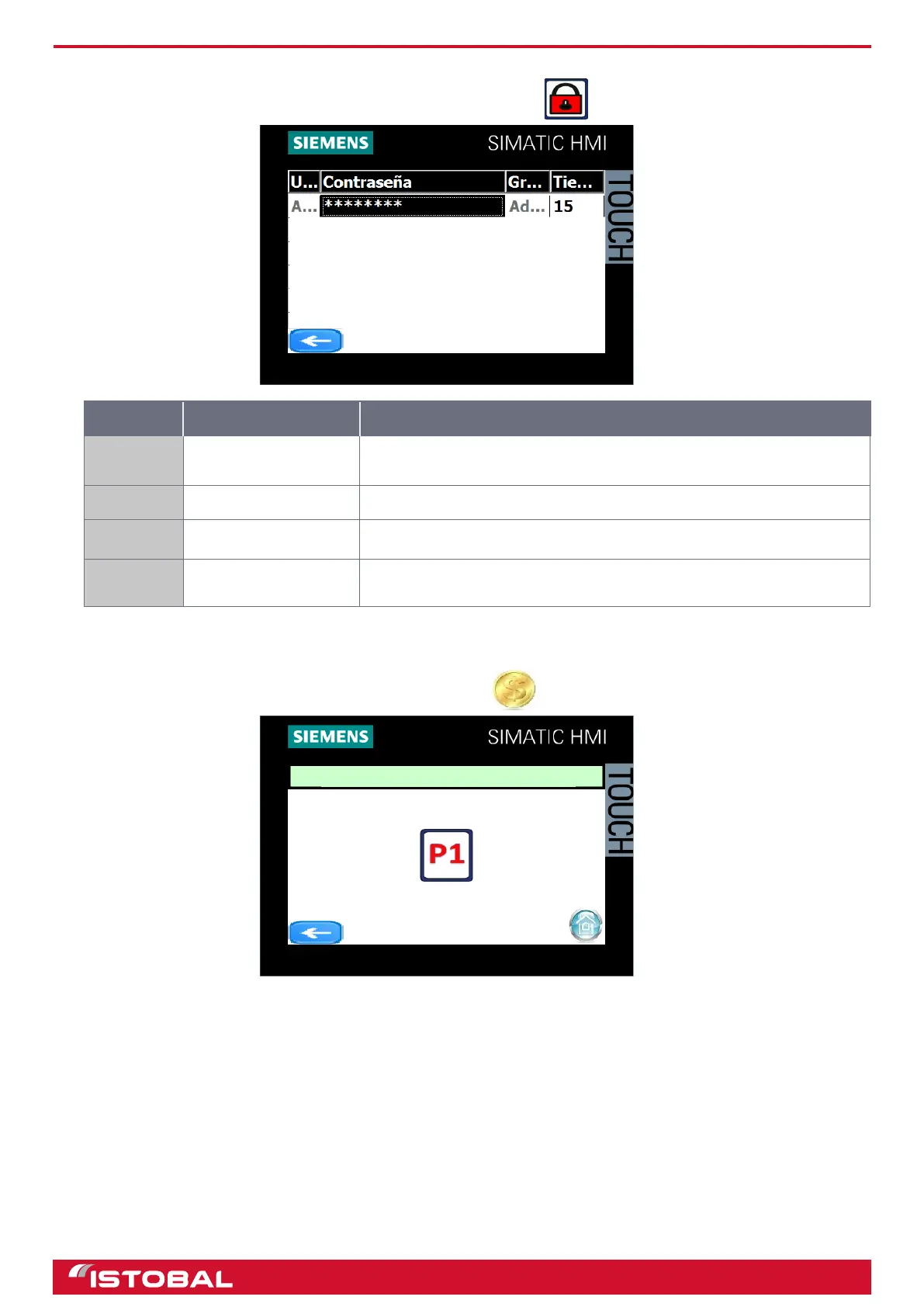
SIEMENS KTP400 touch-screen screen
USER CONFIGURATION
Access USER CONFIGURATION from the main menu by pressing .
Position Description Procedure
A User name
Press the user eld twice and a keypad will pop up for entering the new
user name.
B Password eld Press the password eld twice to activate the "change password" box.
C Group ID Select the group which the user belongs to.
D Disconnection time
Indicates the amount of time allowed without activity before the user is
disconnected.
For more information on control panel access rights, see section “Access control”
CANCEL CREDIT
Access CANCEL CREDIT from the main menu by pressing
CANCEL CREDIT
39


 To Next Page