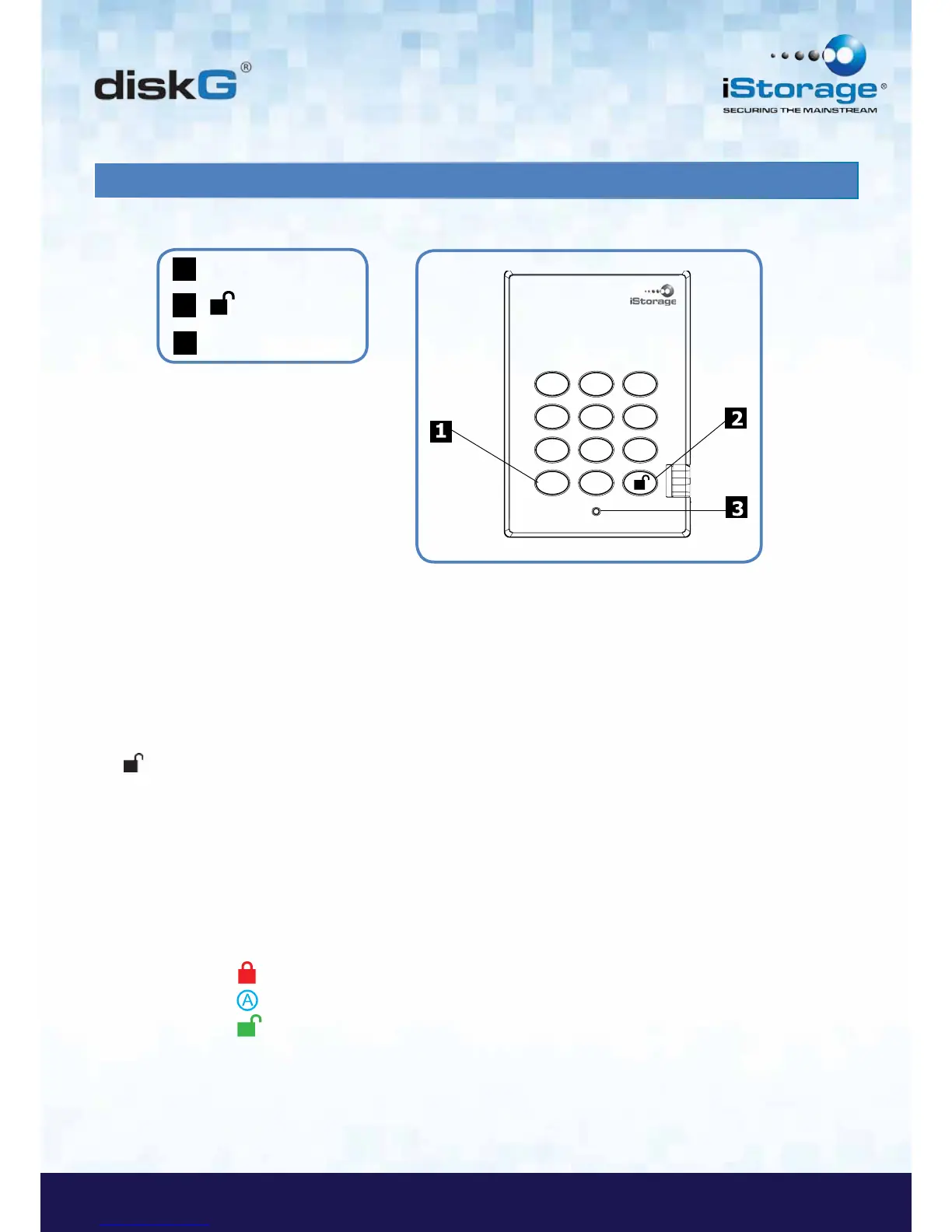
1. diskG Layout
The “Cancel” button can be used to:
• Cancel current operation
• Return to the previous step when you knowingly entered a wrong PIN
• Exit the Admin Mode
The button can be used to access the diskG and it can also be used as an OK acknowledgement in the
following operations:
• Entering a PIN
• Confirming a new PIN
The LED indicator light displays the following colors to indicate the various modes of operation:
• RED: Standby Mode
• BLUE: Admin Mode
• GREEN: User Mode
The LED indicator light has other display methods to indicate different status of the diskG. Details are provided later in
this chapter.














 To Next Page