Basic operation
Copyright © ITECH Electronics Co., Ltd. 26
NOTE
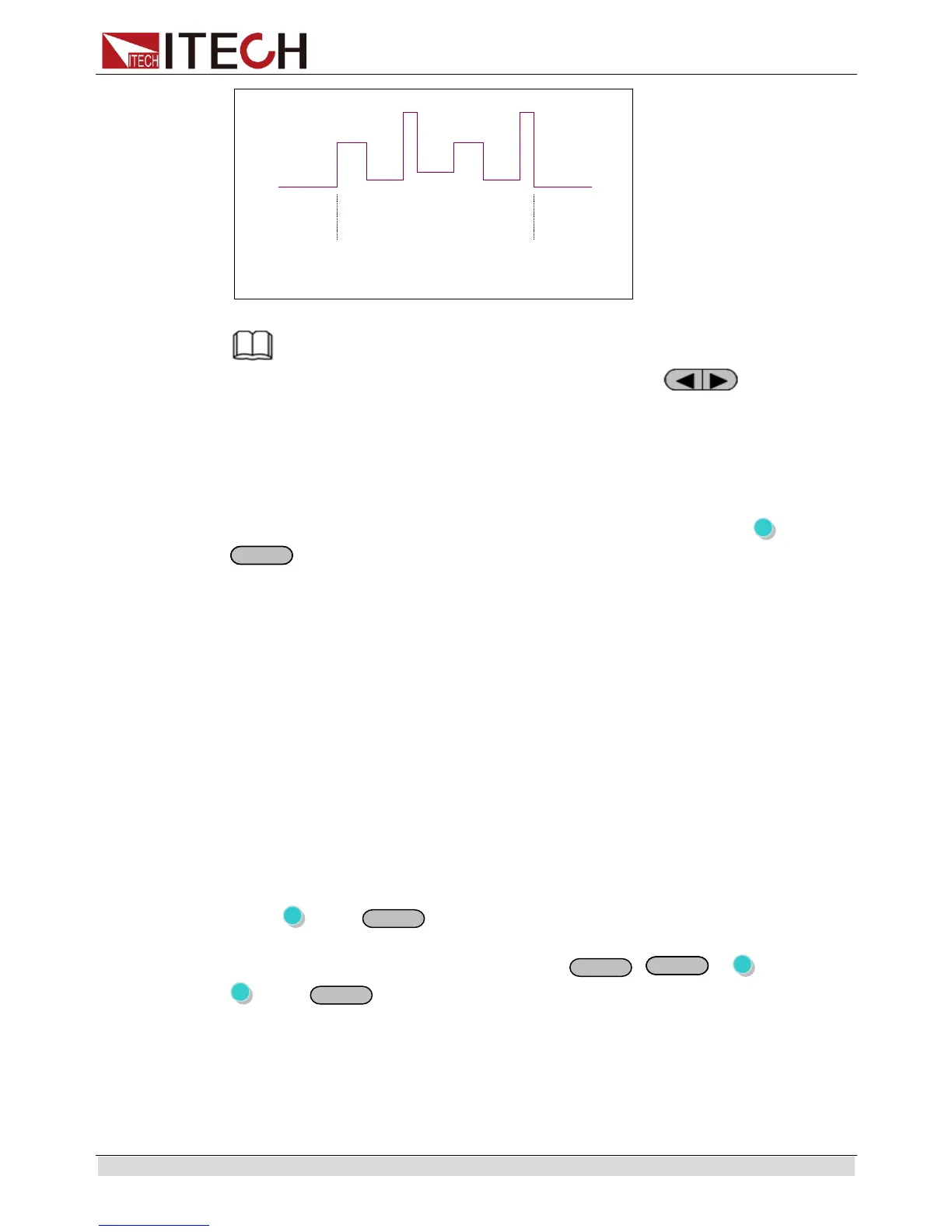
In editing LIST, IT6164B has more modes for selection. Press to select Edit_List,
and press Enter to confirm. The panel displays: Speed Prio (high speed mode) and Power
prio (normal mode). Under normal mode, time range is set from 500mS. For mode switch,
follow normal process. Under high speed mode, time range is set from 10mS with step of
1mS. The mode is maintained at high range, and if triggered, voltage will be directly ouput.
3.10 OVP
IT6100B series power supply provide OVP function, press (Shift) +
(OVP) button can enable you to set the over voltage protection value,
when it’s enabled, “Prot”will display on the VFD.
Over voltage may caused by internal defect or customer’s incorrect operation
(such as output voltage rising), or external voltage too high.Once power supply is
protected (OVP),the output will be off immediately and “OVP” indicator light will be
lit,the instrument will issue 3 beep( regardless of the buzzer set in the menu).
Avoid external voltage that across the output terminals exceeding the 120% of
rated voltage or it will damage out power supply!
When power supply in OVP state, please check the external factors first, after you
exclude the external factors, press ON/OFF button to enable output again.If in
communication state originally, you should send command OUTP ON to enable
output.
3.11 Key Lock
Key lock function can prevent any incorrect touching on the keypad.
Press (Shift)+
(Lock)button to set the key lock state.If keyboard has
been locked,the indicator light * will display on the VFD .In addition,when key board
are lock,all butttons can’t be used but
,
, (Shift).Press
(Shift)+
(Lock) once again will relieve key lock function.
3.12 Terminals at rear panel
The terminals at rear panel of IT6100B include: remote sense, DVM and milliohm
meter, I/O port.
The terminals at rear panel of IT6121B/IT6122B/IT6123B/IT6132B/IT6133B.


 To Next Page