User Guide
Zones Placement and Size
Problem Zone Example
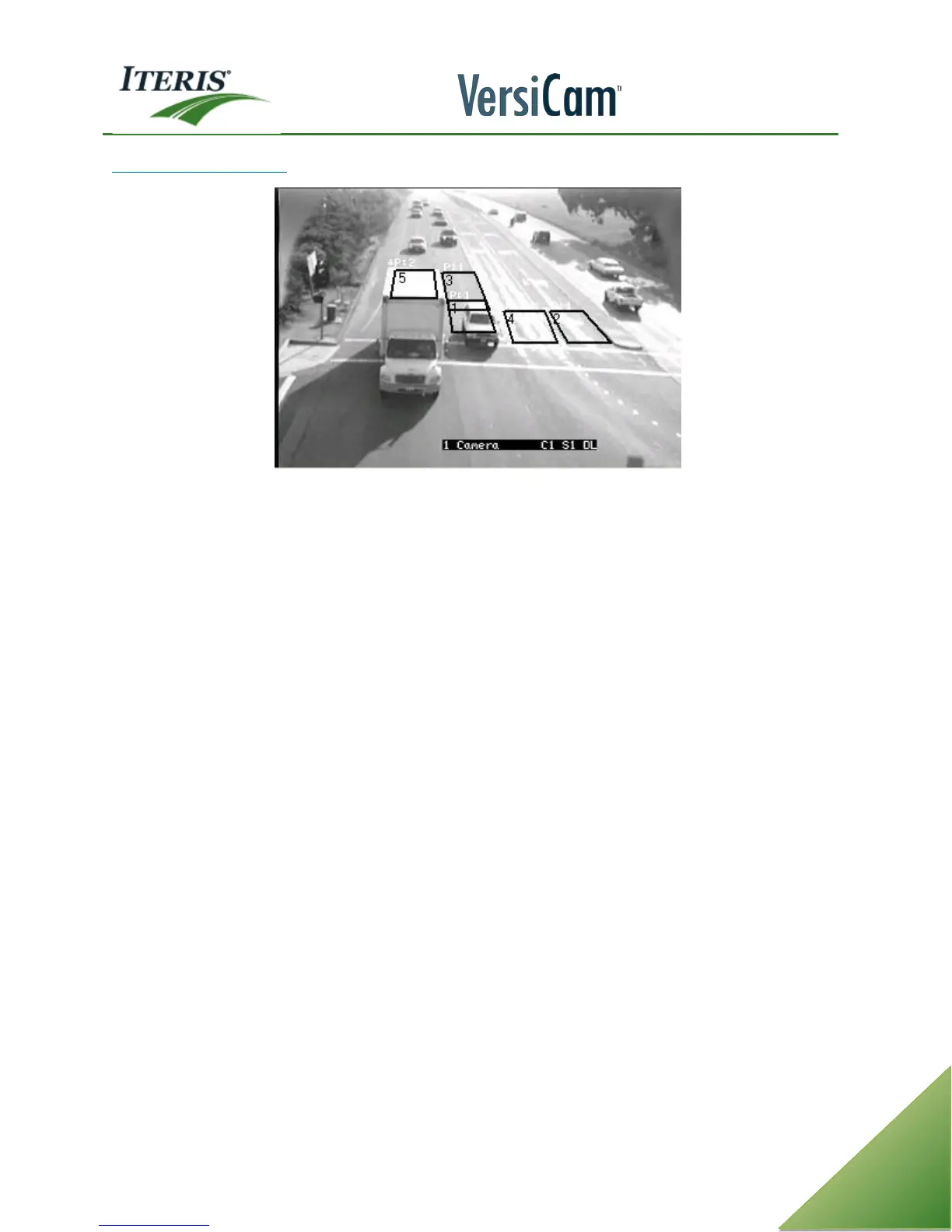
Pay particular attention to zone detail number five, the zone located on top of the large white truck on the
left. Notice that the roof of the truck is what primarily fills the detail number five zone area. The white truck
roof has very few edges, and in this simulated situation, the truck call might be dropped if the truck were to
stop in this position. What can be done?
Overlapping the front stop bar zones, like the zones shown with detail number three and one in the lane to
the right of the truck, would most likely remedy this situation. With two overlapped zones, the front zone
area would most likely include the cab part of the truck, not just the truck roof. The truck cab, having an
abundance of complex edges in the front grill, windshield, and front bumper, would provide ample complex
edge content to properly detect this truck. Drawing detection zones too small can create a new set of
additional problems. For instance, extremely small zones that ended up on a car roof or just the middle of the
car’s hood would have the same adverse consequences.
Remember, when resizing zones or making any other zone adjustments, always be mindful of how these
changes might affect edge content, which in turn, has the potential to influence your vehicle detection.
Close attention to zone size and zone placement are also important because, ideally, we like to have at least
fifty percent of the vehicle we are trying to detect reside in the detection zone area. Again, this has to do
with complex edge content; if we only have one tenth of the vehicle in the detection zone area, that may not
provide us with enough complex edges to determine that this is a vehicle and not just another undesirable
artifact in the detection zone background.
Avoid placing zones on lane lines as any movement of the camera due to wind or other environmental
condition may cause false detections.



 To Next Page