User Guide
5. OPERATION
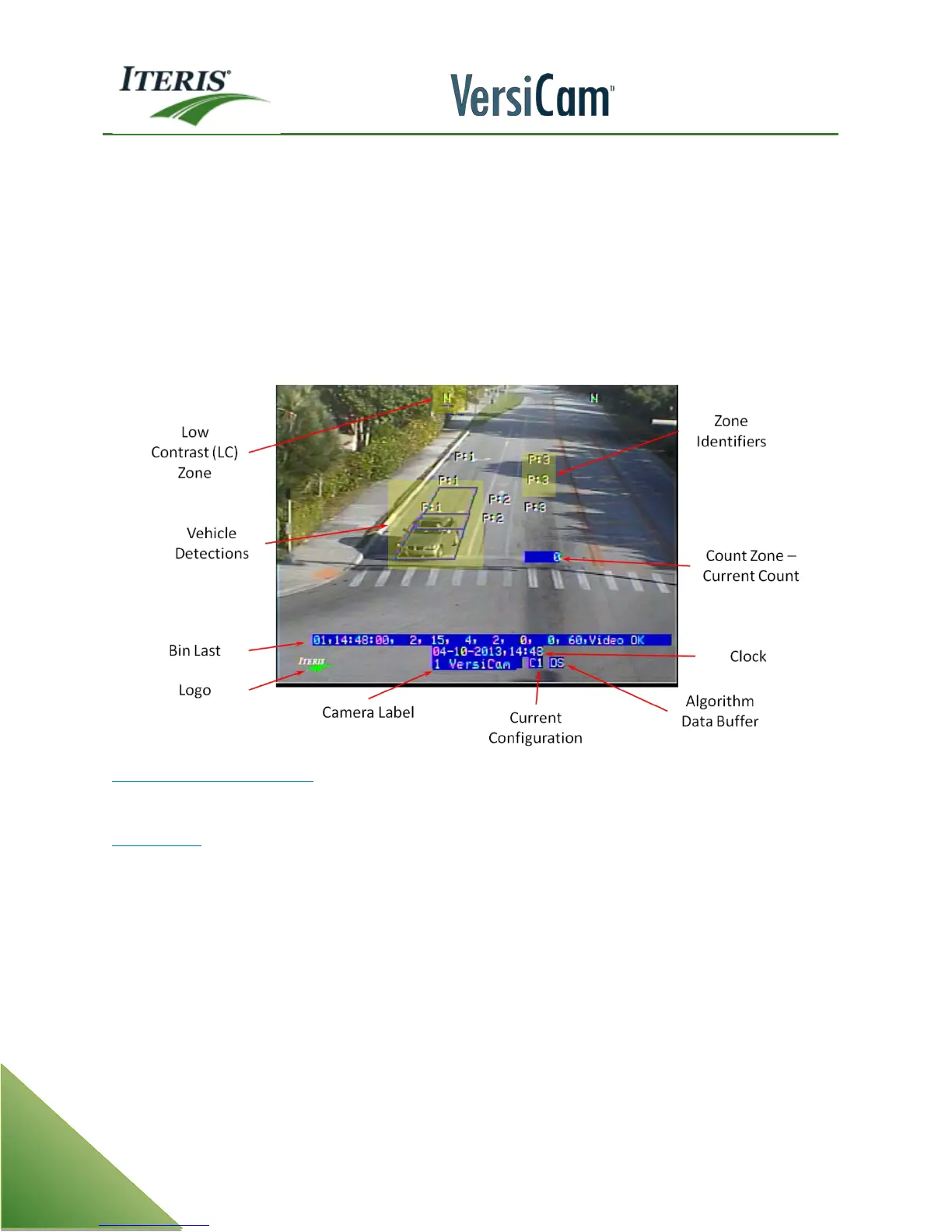
5.1 Run Time Display
Note: The following parameters are being used in VersiCam firmware version v08.01.17, the current
VersiCam
firmware version at the time of this manuals publication. The following section is
somewhat firmware dependent and may change in future firmware versions. Always refer to the
current Vantage firmware release notes for the latest information on Vantage firmware features and
operation. The following information is a high level look at the Vantage firmware.
Zones Lighting with Detection
During operation when a vehicle is detected the outline of the zone will light up.
Constant Call
If the algorithm determines that a zone is not detecting it will go into failsafe mode. The output associated
with the zone will be turned on and a “@” symbol will be displayed above the zone. The system continues to
monitor conditions and if detection quality improves the system will exit this mode.
If the system determines that the whole image is a problem due to percentages from other cameras
being in LC or DID all detection outputs will be turned on. The system displays “GCC” on screen to
indicate that the system is in constant call due. GCC stands for Global Constant Call. This feature is
helpful when camera 1 has constant calls but is not in DID or LC and displays “GCC”. Then the user can
deduce that camera 2 is in DID or LC causing constant calls on camera 1.



 To Next Page