User Guide
VersiCam Processor Video Status Flags:
• VIDEO ENABLE - This is a status flag indicating that the system processor frame grabber is working
properly.
• SYNC - This is a flag indicating that the system has video sync.
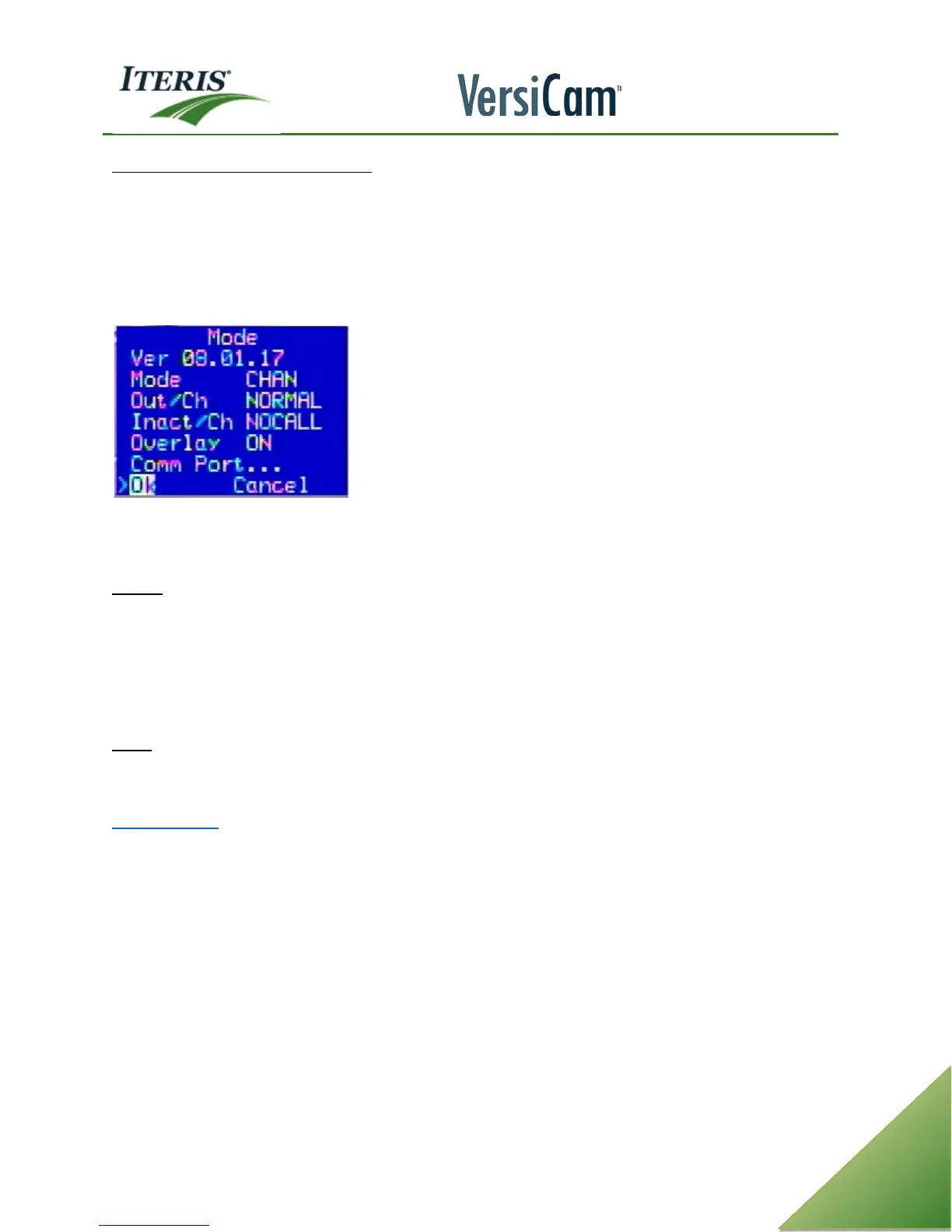
4.10 Mode Menu
The "Mode" option menu includes the following functions and system information.
Note: When calling in with technical questions about your VersiCam, many times you will be asked
what firmware version your system is running. This information is found in the "Mode" menu.
Version - This parameter is the VersiCam firmware version.
For example: "08.01.17".
08 This tells us that it is a VersiCam system.
01 This tells us that we are running standard intersection detection.
17 This is the actual processor firmware version. Many times it is shortened in conversation to
just x.17.
Mode - This option determines the zone reference that will be used to identify the detection zones. The
choices are: CHAN, TYPE, OFF, LABEL, NUMBER, or AND/W. By default, this parameter is set to "CHAN", which
stands for channel. This is the most commonly used zone reference.
Zone Identifiers
CHAN - Channel refers to the output channel associated with the detection zone. For more information see
the section on Channel Output.
TYPE - Type refers to the zone type: Presence (PR), Pulse (PS), Extension (EX), Delay (DL), Count (CN), None
(NO), Advanced (AD), Bike (BI), Demand (DE), Passage (PA), CSO (CS) or Low Contrast (LC). For more
information see the section on Zone Type.
OFF - This selection turns off all visible zone references.
LABEL - Label refers to the detection zone label. For more information see the section on Zone Labels.
NUMBER - Number refers to the detection zone detail number. For more information see the section on zone
Detail Numbers.
AND/W - And With refers to the detail number of a parent zone that a child detection zone might be
referenced to, if this type of operation is enabled. For more information see the section on zone And With
operation.



 To Next Page