User Guide
4.11 Clock Menu
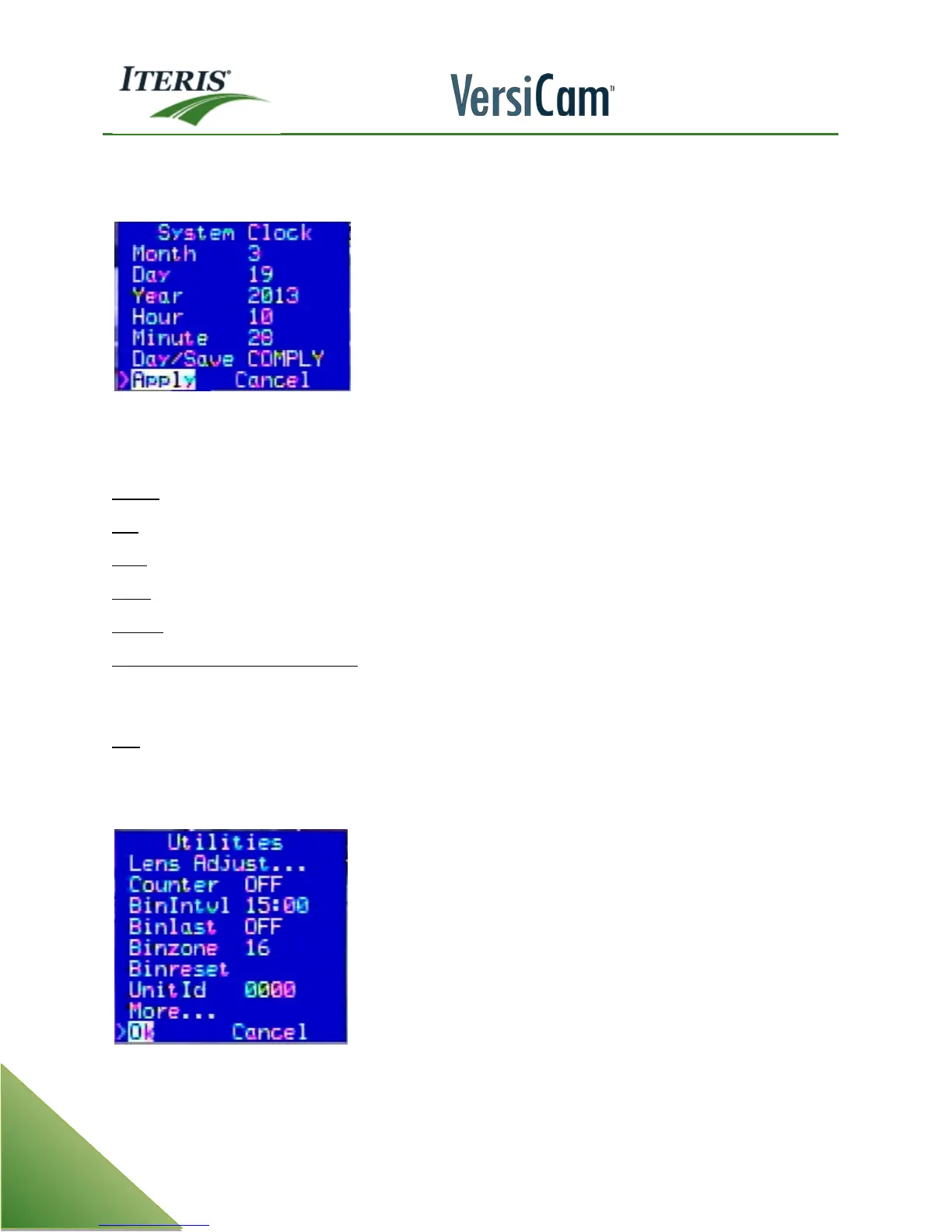
The system "Clock" option menu includes the following functions:
Note:
It is important to set your VersiCam system to the correct time and date, because the system
makes use of this readily available information. It is also essential for getting proper and accurate
time stamps if you decide to collect any count data.
Month - Left or right click your mouse after selecting the "Month" parameter to set the correct month.
Day - Left or right click your mouse after selecting the "Day" parameter to set the correct day.
Year - Left or right click your mouse after selecting the "Year" parameter to set the correct year.
Hour - Left or right click your mouse after selecting the "Hour" parameter to set the correct hour.
Minute - Left or right click your mouse after selecting the "Minute" parameter to set the correct minute.
Daylight Savings Time (Day/Save) - Left or right click your mouse after selecting the "Day/Save"
parameter to choose whether or not to implement daylight savings time. "Off" or "Comply" are the two
available choices.
Exit - This option will take you out of the "Clock" menu and take you back to the main menu bar.
4.12 Utility Menu
The Utility option menu includes the following functions:



 To Next Page