User Guide
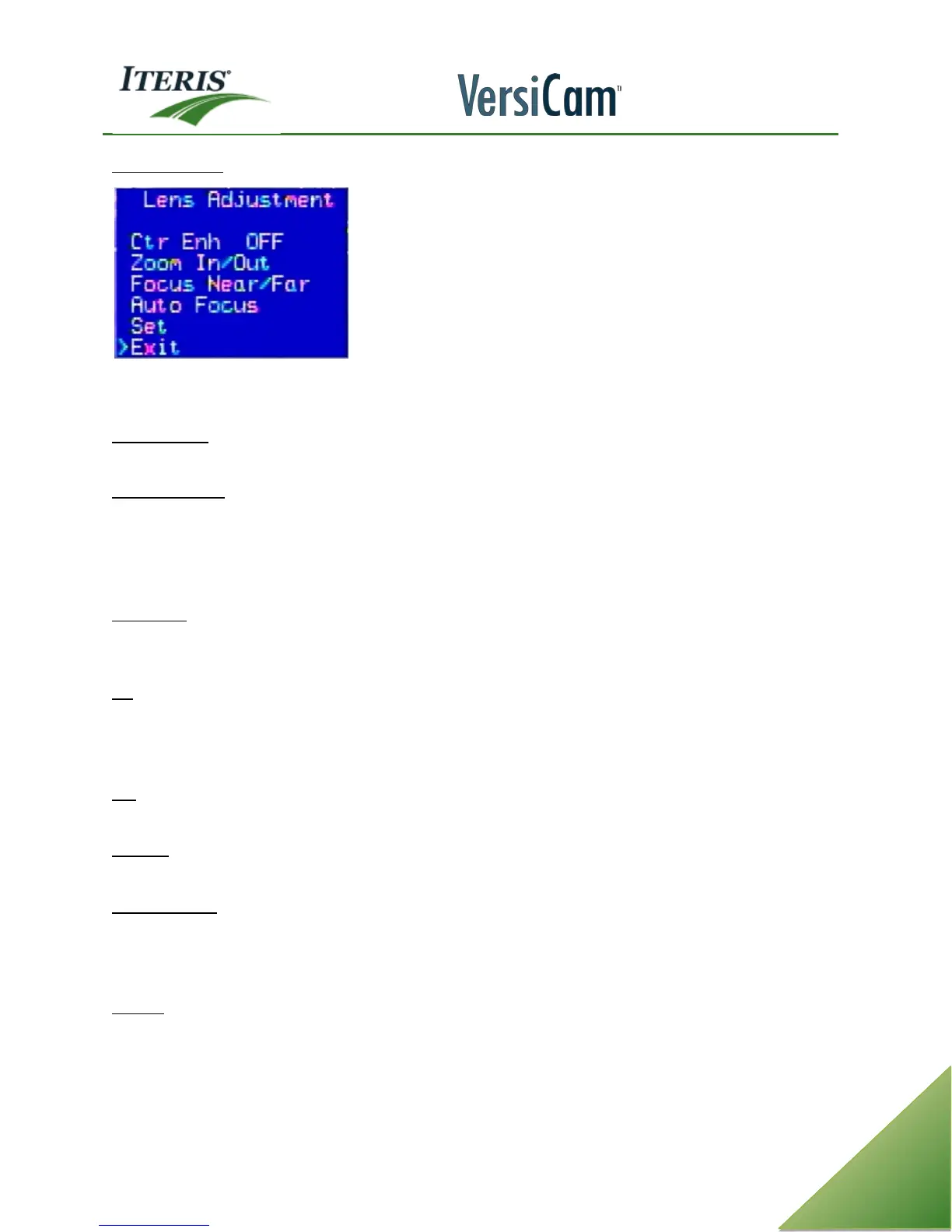
Lens Adjustment
After physically adjusting the camera to obtain a suitable Field of View we can fine tune the FOV using the
Lens Adjustment functions in the System Menu.
Zoom In / Out - To zoom in or out select "Zoom In Out" and press the left mouse button to zoom in or the
right mouse button to zoom out.
Focus Near / Far - This is the manual focus function. You can manually focus using this menu item and the
Focus Near / Far menu item.
Note: Auto Focus should be used whenever possible to obtain the best focus. If manual focus
adjustments are required, you can use Focus Near and Focus Far adjustment.
Auto Focus - this function should be used once a good FOV is obtained. Select Auto Focus and wait for the
small square in the right lower portion of the screen, next to the camera label, to disappear. An asterisk will
also appear in the menu. Remember to select "Set" before exiting to save your camera configuration.
Set - this function will save the camera configuration settings (Zoom and focus). After selecting "Set" the
menu may momentarily freeze, and an asterisk will be displayed while the settings are being saved. Failure
to "Set" (Save) the camera settings before exiting will result in the camera returning to factory default
settings once the camera power is removed or interrupted.
Exit - when selected, this function will exit the Adjust Lens menu and return the user back to the Utilities
menu.
Counter – When the counter is on you will see the counts for CSO or count type zones displayed on the
screen.
Bin Interval – A Bin Interval needs to be set to tell the system how often the counts should be stored. You can
select a bin interval of either: 10 or 20 seconds or 1, 5, 15, 30, or 60 minutes. For example, if you select five
minutes, that means that every five minutes count data for all count zones will be time-stamped and binned.
The VersiCam will store this count information in flash memory.
Bin Last - This function, when turned "On", displays the last count bin data for the count zone selected in the
"Bin Zone" parameter. A valid count zone must be specified for the "Bin Zone" parameter in order for this
function to work. This feature allows you to display on screen the count zone data for any one of the count
zones. The data automatically updates at the top of the Bin Interval. A sample of the data string is shown
below:



 To Next Page