User Guide
Detector Type (Type) - This setting allows you to select the type of detection zone to create. There are several
different zone types available.
Type
Function
Places a call as long as vehicle is in the zone.
Extend the vehicle call for a programmable length of time.
Delay the vehicle call for a programmable length of time.
Produces a pulse output for a user programmable rate of time (pulse width).
Count vehicles that pass through the zone and store the data.
Create an LC zone for low contrast stabilization.
Demand zone for high traffic congestion.
Passage zone for high traffic congestion.
Count, Speed, Occupancy zone.
Bicycle differentiation zone.
To select or change the zone type, move the mouse cursor to "Type" and left or right click the mouse buttons
until the desired zone type is displayed. Move the cursor to a different zone parameter item in the menu to
set your zone type choice.
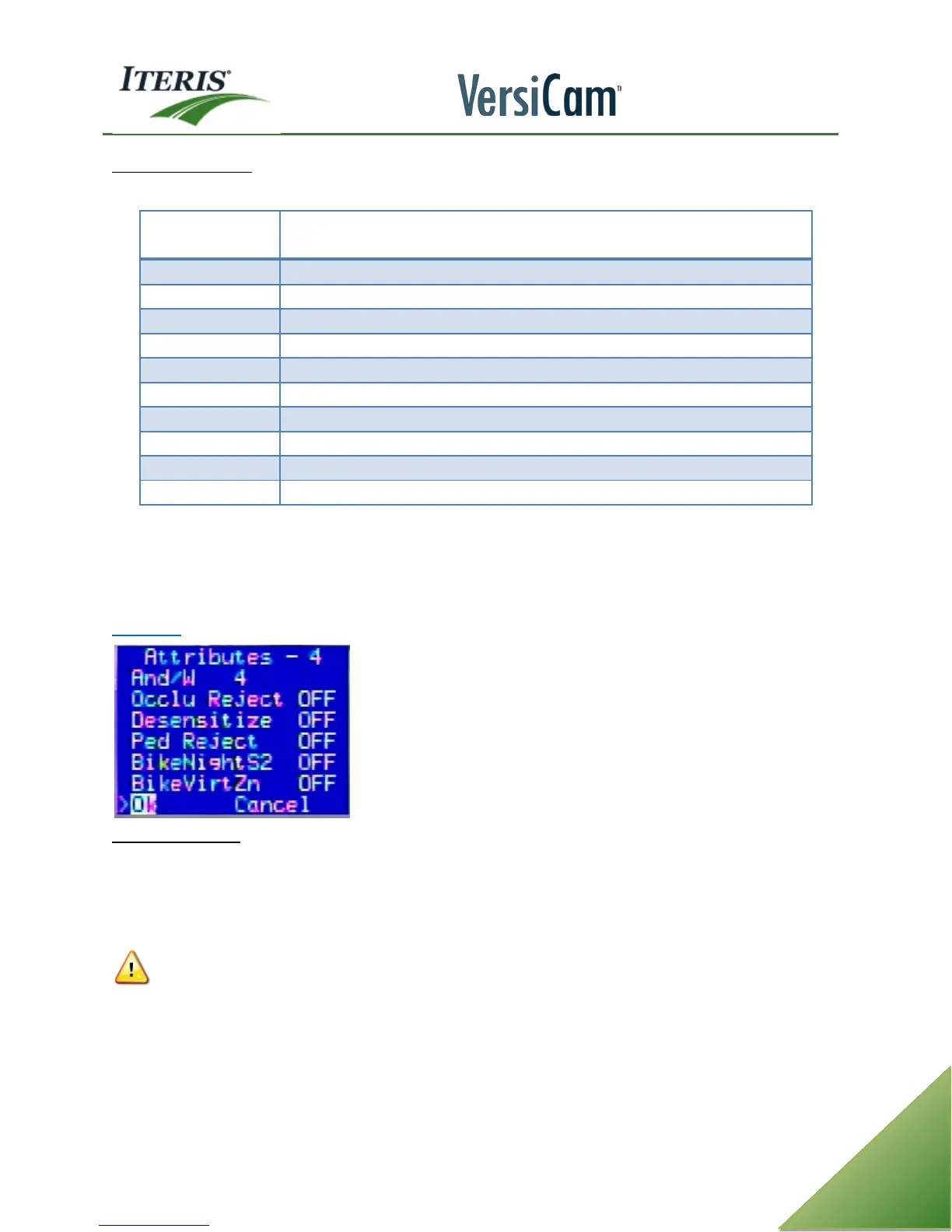
Attributes
And With (AND/W) - This function allows the user to "AND" zones together for special operation. Zones that
are AND'ed together will only place a vehicle call when there is a vehicle placing a call in both of the zones
simultaneously. If there is a vehicle in only one of the zones, a call will not be placed. If normal operation is
desired, be sure that the value of AND/W is set to the same number as the zone detail number; this is the
default setting.
CAUTION! The accidental setting of this parameter to a random value can result in unpredictable
and undesirable operation. Be sure you understand the AND/W function before attempting to use
it. If you do not intend to use AND/W operation, be sure that the AND/W value is set to the same
value as the zone detail number.



 To Next Page