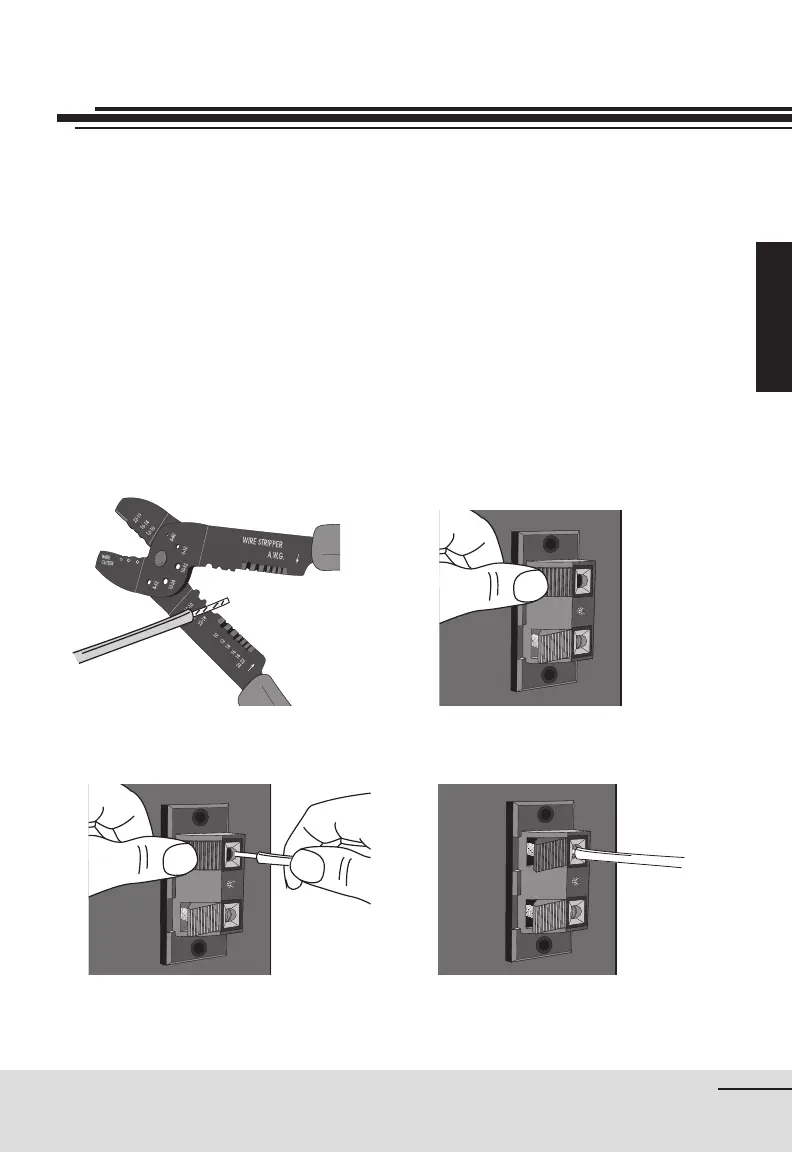
gure 5gure 4
gure 6 gure 7
13
Installation
Connect the low voltage wires to the low voltage inlet on your unit.
To do so:
1. Strip wires over 1 cm (½ inch) (gure 4).
2. Gently press on the toggle to open the connector (gure 5).
3. Insert stripped wire (gure 6).
4. Release toggle to secure wire in connector (gure 7).
5. Repeat for second wire.
To disconnect:
1. Gently press on the toggle to open the connector.
2. Remove low voltage wire from connector.
Low Voltage Connections


 To Next Page