Visit
dashcamtalk.com for the latest firmware and owners forum.
Installation
f PASS ©BLACK
1.
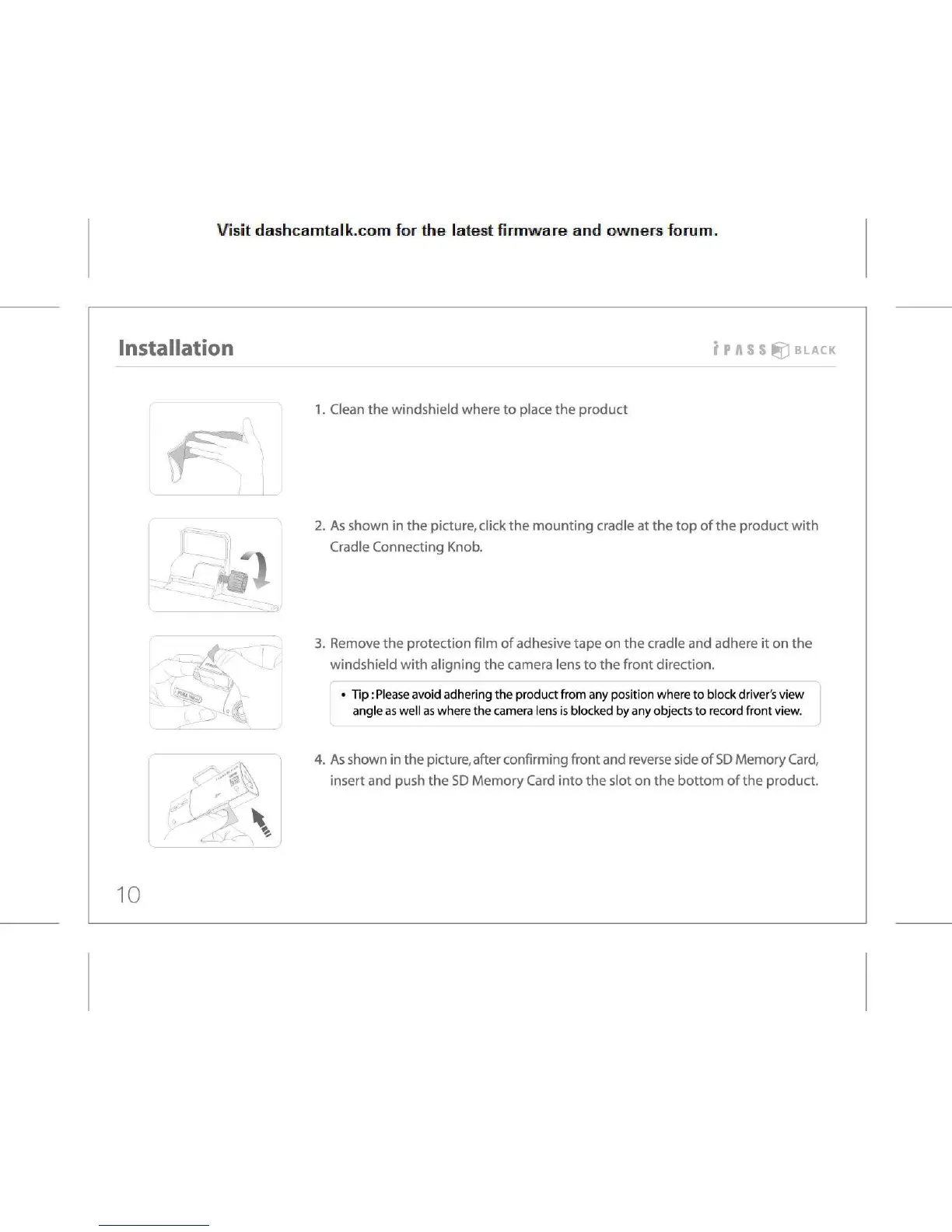
Clean the windshield where to place the product
2.
As shown in the picture, click the mounting cradle at the top of the product with
Cradle
Connecting Knob.
3.
Remove the protection film of adhesive tape on the cradle and adhere it on the
windshield
with aligning the camera lens to the front direction.
•
Tip: Please avoid adhering the product from any position where to block driver's view
angle
as well as where the camera lens is blocked by any objects to record front view.
4.
As shown in the picture, after confirming front and reverse side of SD Memory Card,
insert
and push the SD Memory Card into the slot on the bottom of the product.
10



 To Next Page