Visit
dashcamtalk.com for the latest firmware and owners forum.
How
to connect Power (when using Uninterrupted-Power Cable) f P
n s
s £p BLACK
This
product is available to be connected with Uninterrupted-Power Cable (UPC) for using the product as a surveillance
camera
when the vehicle engine is stopped. However, when you connect UPC,you are highly recommended to use our
authentic
UPC which has battery protection circuit in order to prevent the vehicle battery from discharging.
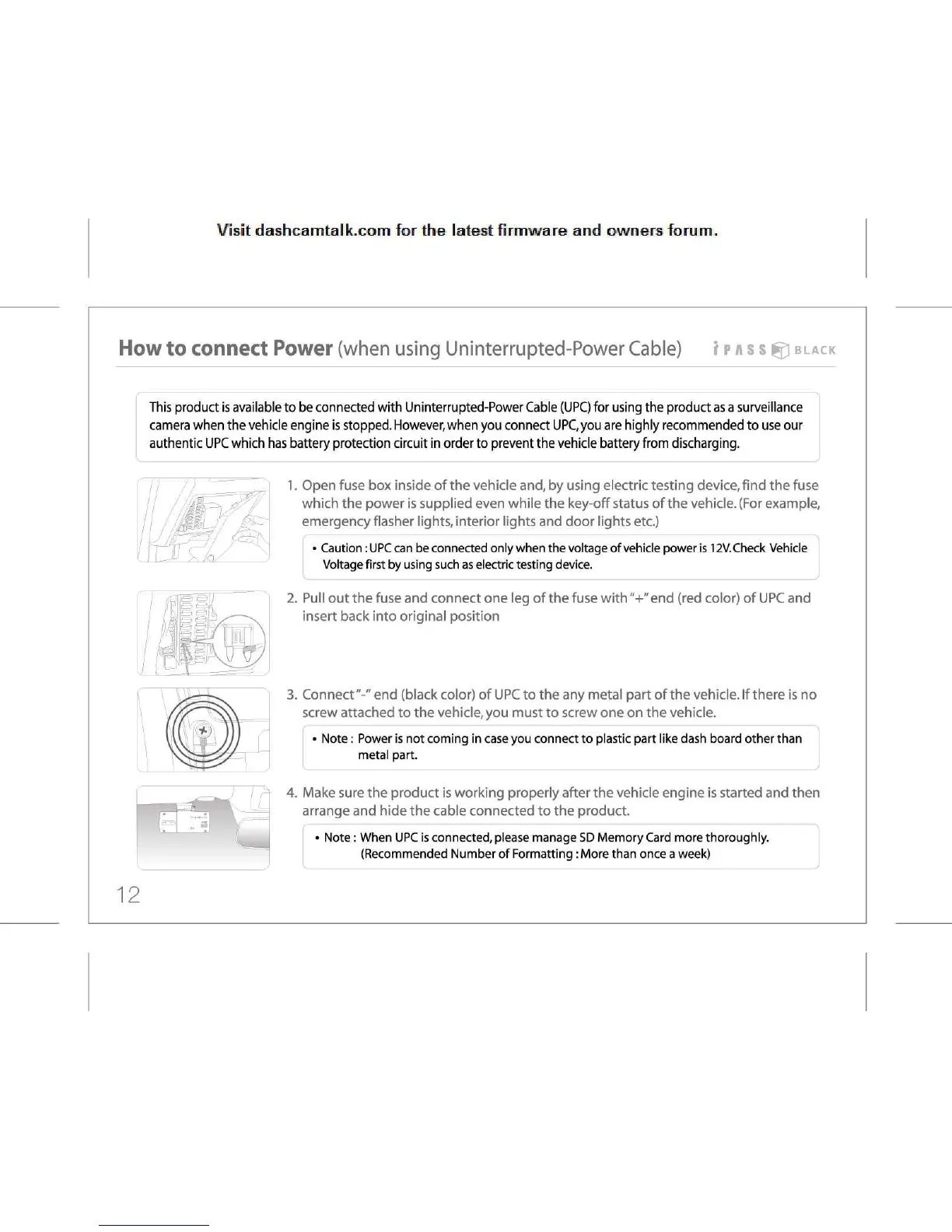
1.
Open fuse box inside of the vehicle and, by using electric testing device, find the fuse
which
the power is supplied even while the key-off status of the vehicle. (For example,
emergency
flasher lights, interior lights and door lights etc.)
•
Caution:
UPC
can be connected only when the voltage of vehicle power is 12V.Check Vehicle
Voltage
first by using such as electric testing device.
2.
Pull out the fuse and connect one leg of the fuse with"+" end (red color) of UPC and
insert
back into original position
3.
Connect"-" end (black color) of UPC to the any metal part of the vehicle. If there is no
screw
attached to the vehicle, you must to screw one on the vehicle.
•
Note: Power is not coming in case you connect to plastic part like dash board other than
metal
part.
4.
Make sure the product is working properly after the vehicle engine is started and then
arrange
and hide the cable connected to the product.
•
Note: When UPC is connected, please manage SD Memory Card more thoroughly.
(Recommended
Number of Formatting
:
More than once a week)
12



 To Next Page