Visit
dashcamtalk.com for the latest firmware and owners forum.
How
to change the user settings truss© BLACK
General
Setting
DiShock-Sensing
Alarm;
IFile
Deletion MethorJ i
:Time
Zone i
©Firmware
Version:
•
OFF • ON
•
Deletion
by
Time Order ^fl
Deletion
by File Type ^^^W Parking : 30%
(£)
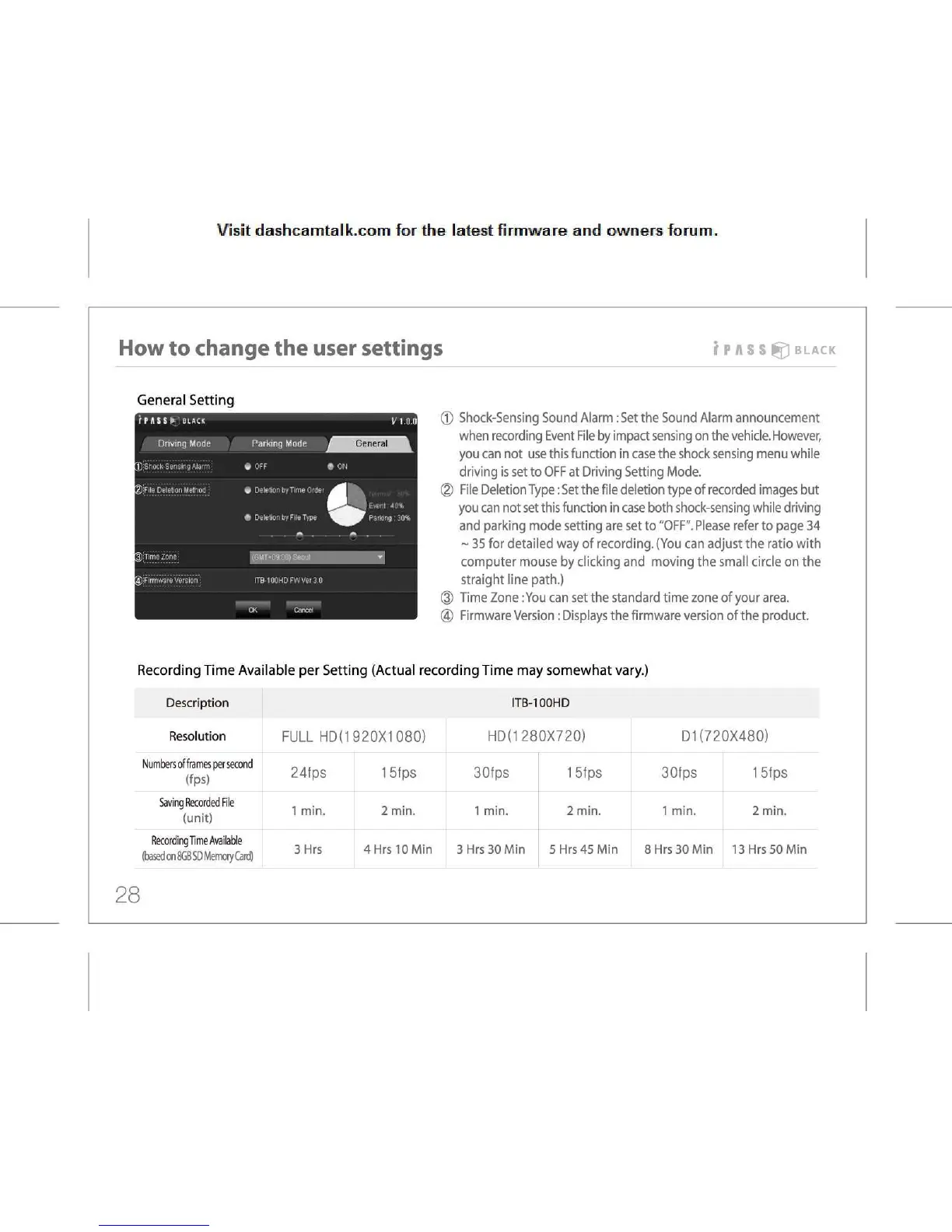
Shock-Sensing Sound Alarm: Set the Sound Alarm announcement
when
recording Event File by impact sensing on the vehicle. However,
you
can not use this function in case the shock sensing menu while
driving
is set to OFF at Driving Setting Mode.
(D
File Deletion Type: Set the file deletion type of recorded images but
you
can not set this function in case both shock-sensing while driving
and
parking mode setting are set to "OFF". Please refer to page 34
~
35 for detailed way of recording. (You can adjust the ratio with
computer
mouse by clicking and moving the small circle on the
straight
line path.)
®
Time Zone :You can set the standard time zone of your area.
(4)
Firmware Version: Displays the firmware version of the product.
Recording
Time Available per Setting (Actual recording Time may somewhat vary.)
Description ITB-100HD
Resolution
FULL
HD(1 920X1 080)
HD(1
280X720)
D1
(720X480)
Numbers
of
frames
per second
(fps)
24fps 15fps 30fps 15fps 30fps 15fps
Saving Recorded File
(unit)
1
min.
2
min.
1
min.
2
min.
1
min.
2
min.
Recording Time Available
(based
on
8GB
SD Memory Card)
3Hrs
4Hrs
10 Min
3
Hrs 30 Min
5 Hrs
45 Min
8
Hrs 30 Min
13 Hrs
50 Min
28



 To Next Page