Visit
dashcamtalk.com for the latest firmware and owners forum.
How
to manage the recorded files - PC Player
f
P A S S g| BLACK
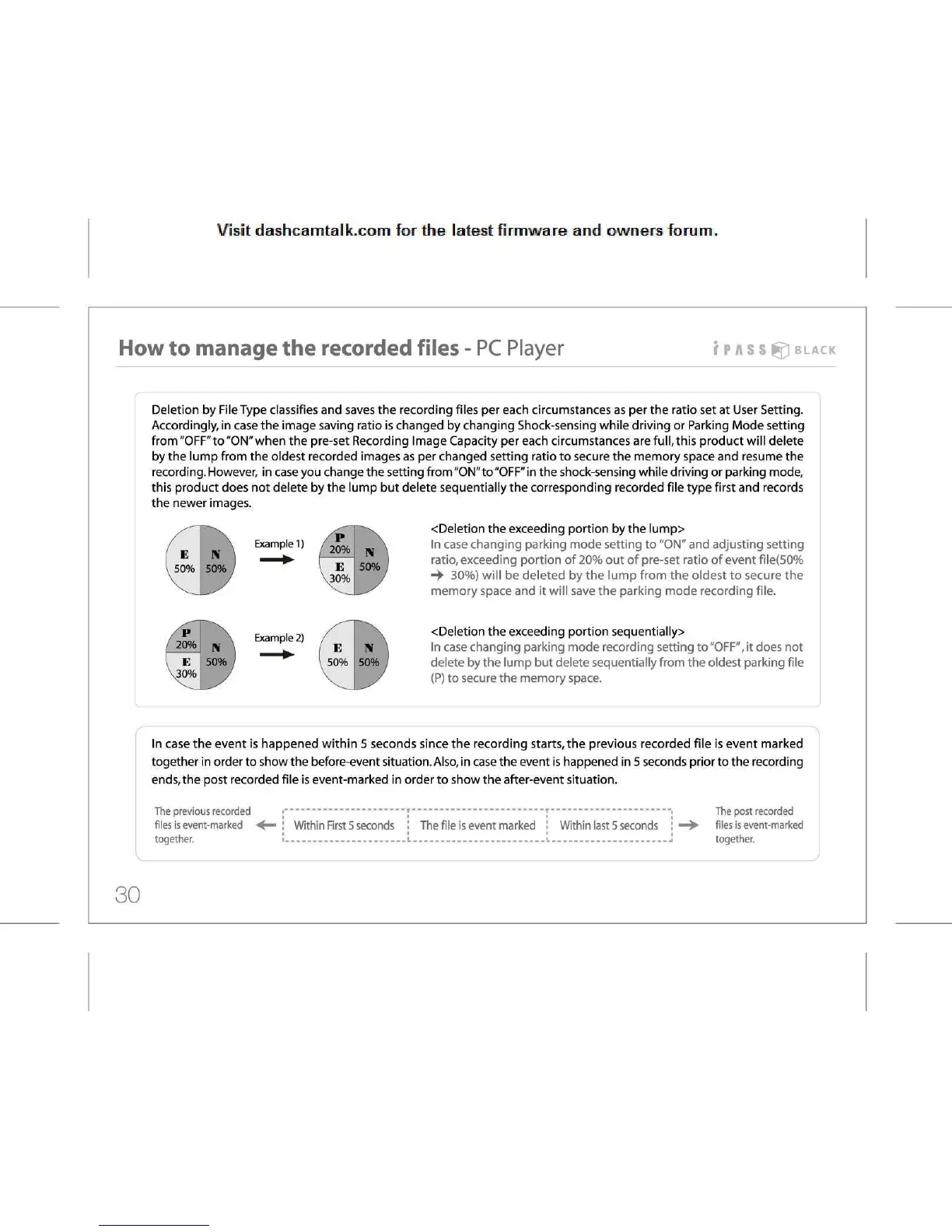
Deletion
by File Type classifies and saves the recording files per each circumstances as per the ratio set at User Setting.
Accordingly,
in case the image saving ratio is changed by changing Shock-sensing while driving or Parking Mode setting
from
"OFF" to "ON" when the pre-set Recording Image Capacity per each circumstances are full, this product will delete
by
the lump from the oldest recorded images as per changed setting ratio to secure the memory space and resume the
recording.
However, in case you change the setting from "ON" to "OFF" in the shock-sensing while driving or parking mode,
this
product does not delete by the lump but delete sequentially the corresponding recorded file type first and records
the
newer images.
Example
1)
Example
2)
<Deletion
the exceeding portion by the lump>
In
case changing parking mode setting to "ON" and adjusting setting
ratio,
exceeding portion of 20% out of pre-set ratio of event file(50%
30%)
will be deleted by the lump from the oldest to secure the
memory
space and it will save the parking mode recording file.
<Deletion
the exceeding portion sequentially>
In
case changing parking mode recording setting to "OFF", it does not
delete
by the lump but delete sequentially from the oldest parking file
(P)
to secure the memory space.
In
case the event is happened within 5 seconds since the recording starts, the previous recorded file is event marked
together
in order to show the before-event situation.
Also,
in case the event is happened in 5 seconds prior to the recording
ends,
the post recorded file is event-marked in order to show the after-event situation.
The
previous recorded
files
is event-marked
together.
Within First 5
seconds !
The
file is event marked '• Within last
5
seconds
The
post recorded
files
is event-marked
together.
30



 To Next Page