24
6.5 Programming
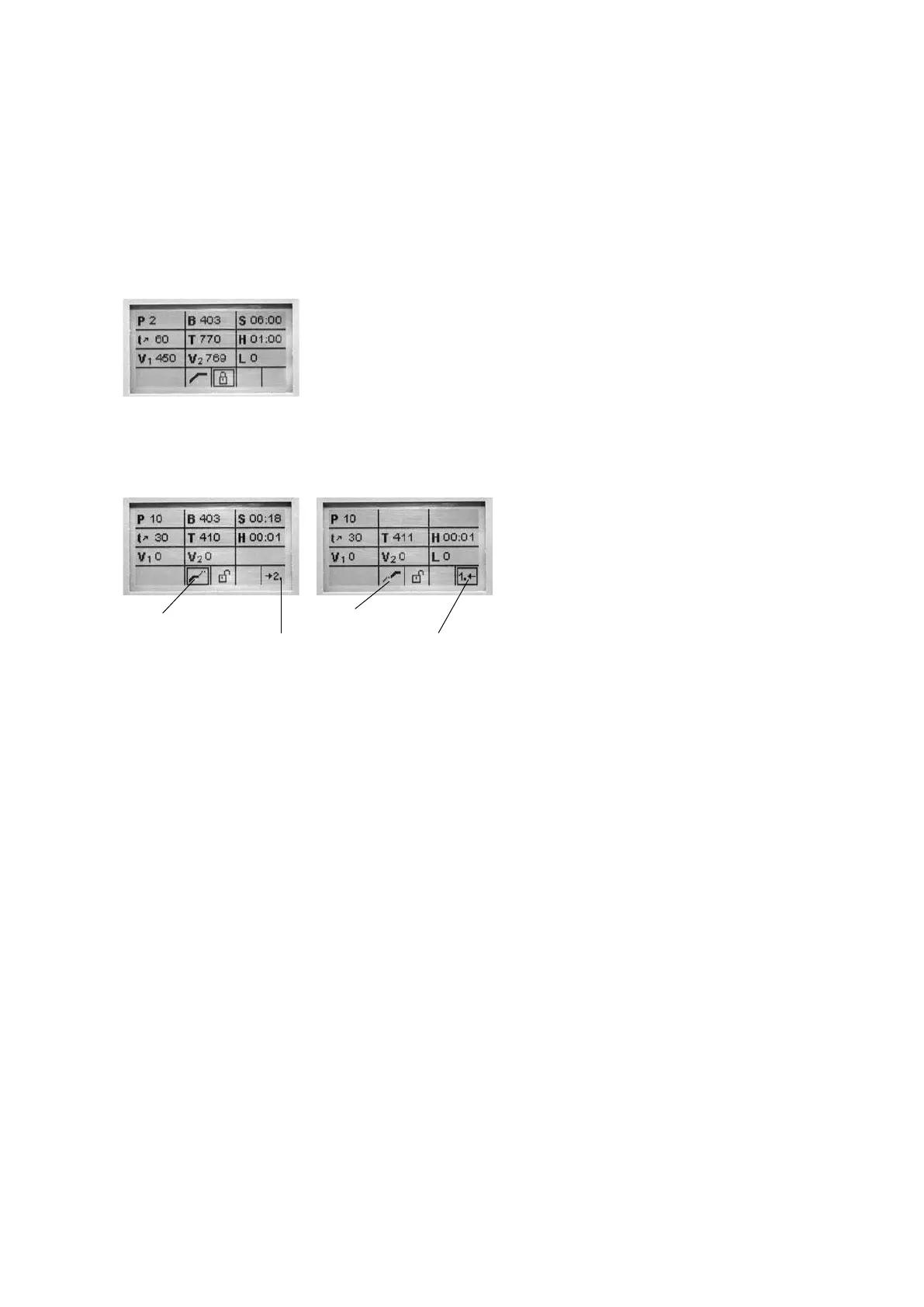
One-stage program *
The parameter list can be selected via the setting ‚Programming‘
(7/19). In this list, all the program parameters are shown. The desired
parameter can be selected using the cursor keys. The value can be
changed using the ‚-/+‘ keys. This screen can be exited with the ESC
or the Program keys.
If the cursor is on the symbol
‚one-stage‘, pressing the ‚-/+‘
keys allows to switch from a
one-stage program to a two-
stage program.
Two-stage program
If a two-stage program is used, the parameters are displayed for the
first and the second stage in a separate screen. Switching between
the two screens is carried out using the symbol ‚Change program
stage indication‘.
stage 1 is shown stage 2 is shown
Symbol ‚Change program stage indication‘
If the cursor is on the symbol ‚Change program stage indication‘,
pressing the ‚ENTER‘ key results in a change of the program stage
indication.
If the cursor is on the symbol ‚one-stage/two-stage‘, pressing the
‚-/+‘ keys allows to switch from a two-stage program to a one-stage
program.
* The programs are protected with a code. If there will be necessary changes, you will be
informed about the corresponding code.















 To Next Page