32
5. Operation and Configuration
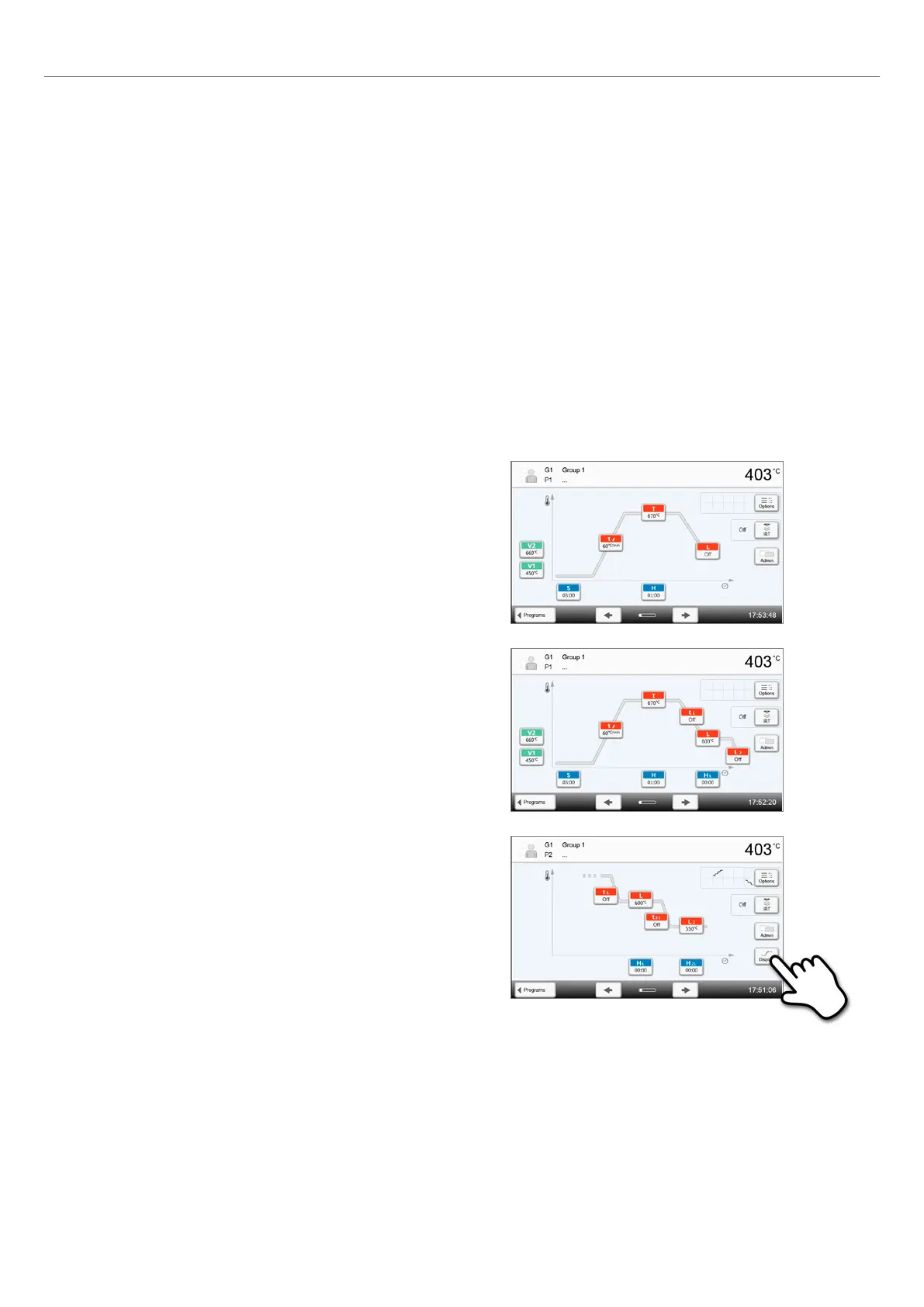
When the first long-term cooling stage is activated, the second
long-term cooling state is displayed.
Once the parameters for the second long-term cooling state have
been entered, the heating and cooling stages are divided into two
different program screens.
You can toggle between the screens by pressing the [Screen]
button.
After setting the temperature for long-term cooling Stage 2, the symbol for "two-stage cooling" is shown next to the
[Options] button.
Two-stage cooling
In addition to the three possible heating stages, up to two long-term
cooling stages are available. For one- and two-stage programs, the
configuration of the first long-term cooling results in the following
cooling parameters to be shown:
– Cooling rate
– Long-term cooling holding time
– 2
nd
long-term cooling
If the 2
nd
long-term cooling has been activated, switching back and
forth between the parameters for the heating stages and the cooling
stages is possible in the program screen. The screen now shows the
symbol "two-stage cooling" next to the [Options] button.
Example: Toggling between heating stage and long-term
cooling:
The program screen shows the parameters of the first temperature
level (S, H1, etc.).















 To Next Page