Leak Detection Simulation
Leak Detection Simulation
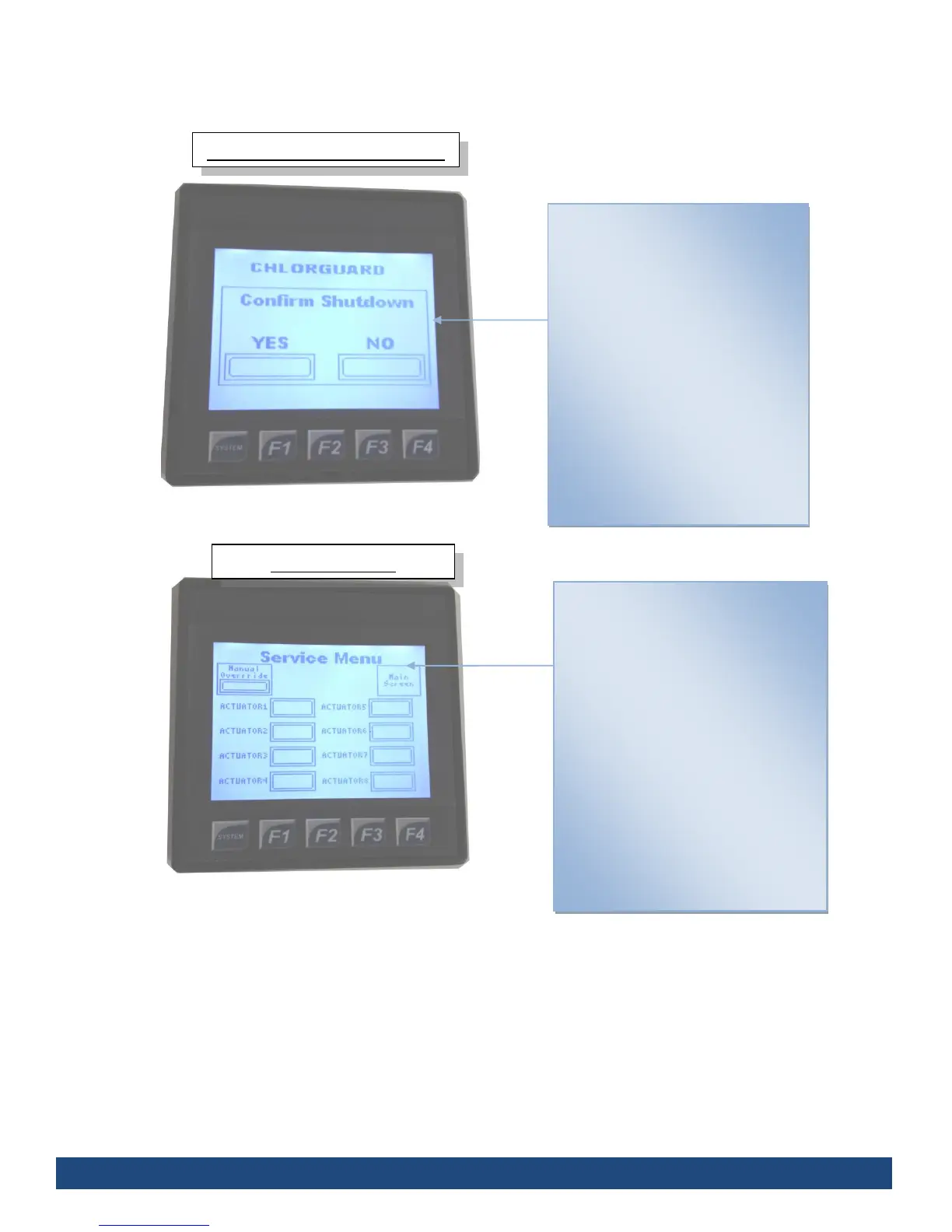
Simulates a leak detection, causing
all actuators to react and close the
cylinder/drum valves connected to
the Chlorguard.
Displays which valves have been
closed, and which are still in the
process of closing.
Once all the valves have close,
you’ll be taken back to the main
screen (see fig 1.) Until then, you’ll
not be able to do anything until it’s
finished
Service Menu
Displays the attached actuators and
serial number of the Chlorguard Unit.
After pressing the Manual Override
you’ll be able to run individual
actuators by pressing the according
actuator.
Multiple actuators can be running
simultaneously, and will only stop
when pressed a second time.
The Serial Number of the unit is
located at the bottom of the screen.
Press “Main Screen” to return to the
main screen (fig 1.)


 To Next Page