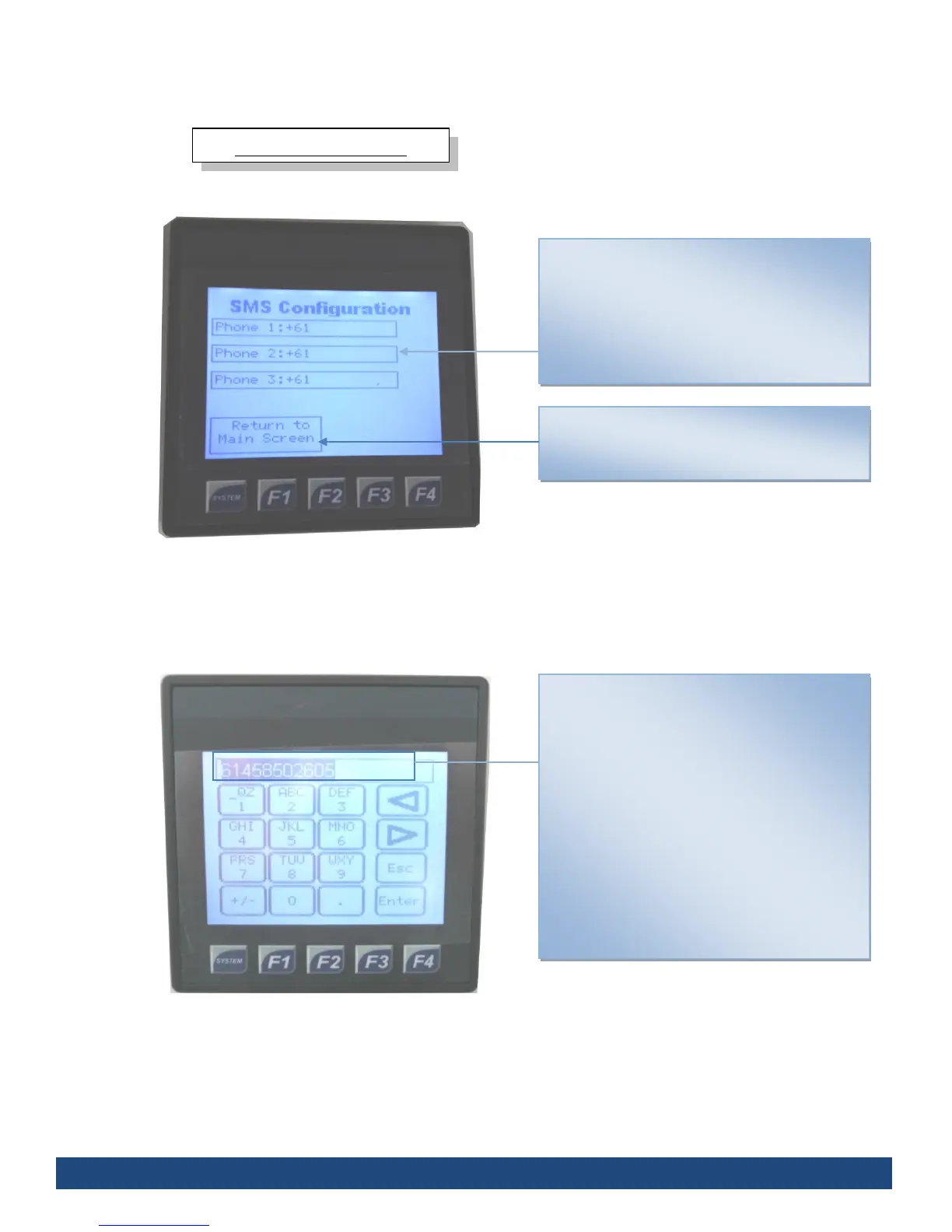
SMS Configuration
Displays phone numbers programmed to
receive SMS from the Chlorguard.
Touching the screen will allow you to change
the phone number to the desired number. 3 are
available.
To return to the Main Screen, press the “Return
to Main Screen” on the touch screen interface
SMS Number Entry
Displays a phone number entry screen that
allows change to the selected number (see fig
6.) the Chlorguard will send an SMS to.
The keypad is to enter the desired phone
number.
The arrow keys are to scroll between already
enter numbers (highlighted at the top).
To return to the previous screen press Escape
Once finished, press Enter



 To Next Page