Wireless 5G
on this page to 5G Wi-Fi advanced settings, in this setting page can be set for further security for wireless
networks, if no such special needs, it is recommended to maintain the preset settings, enter see order to
set Wi-Fi advanced settings information on their own.
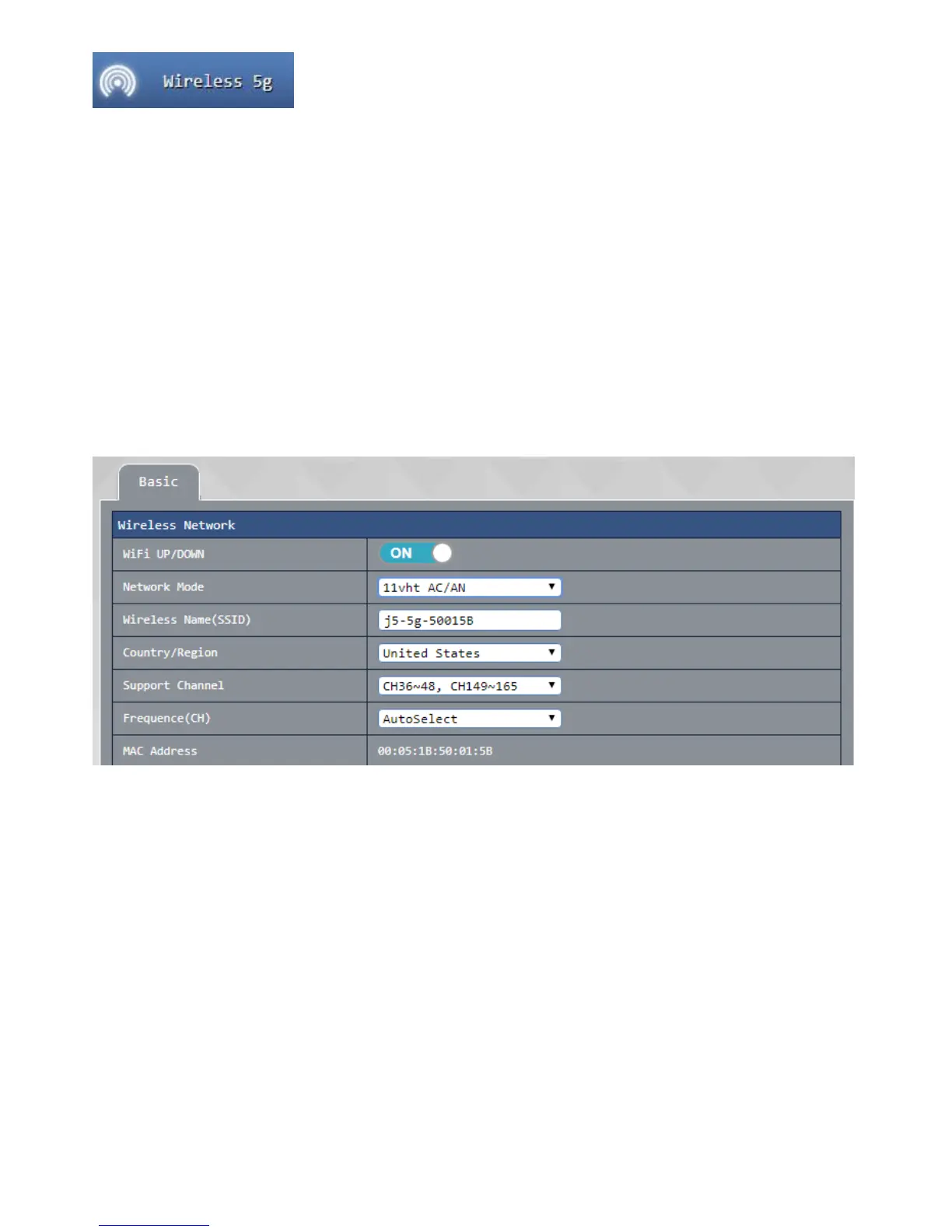
Basic:
● Wi-Fi on / off: Set your 5G wireless network switch
● network mode: Confirm your current network mode 5G wireless networks, support 802.11 ac / an / a
and other
● wireless network name modes : self given that you want to use the wireless network name (SSID)
● Support channel / frequency: select your current 2.4G wireless network channel, you can change this
option to avoid with other routers or wireless signal using a common situation caused by the same
channel signal instability
● MAC position : display the router MAC address
press the after apply in setting is completed, i.e., after waiting for the system to complete the setting is completed
reopened.
High-volume transmission entity mode:
This page is a set 802.11 ac / an / a setting, you can customize the router 802.11 ac / an / a network
configuration values, if no special requirement recommend this setting to keep the system default value
that is can be applied after the setting is completed by pressing, to complete the setting is finished after waiting for
the system to reopen.



 To Next Page