Chapter 3: wireless router management settings interface
JWR2100 a smart web graphics configuration management interface(GUI),allowing you to such as Internet
Explorer, Firefox, Chrome, Safari and other router settings of various functions through a variety of web
browsers.
Quick Internet Setup
When first use of the system after the completion of step sign directly into the Quick Internet Setup.
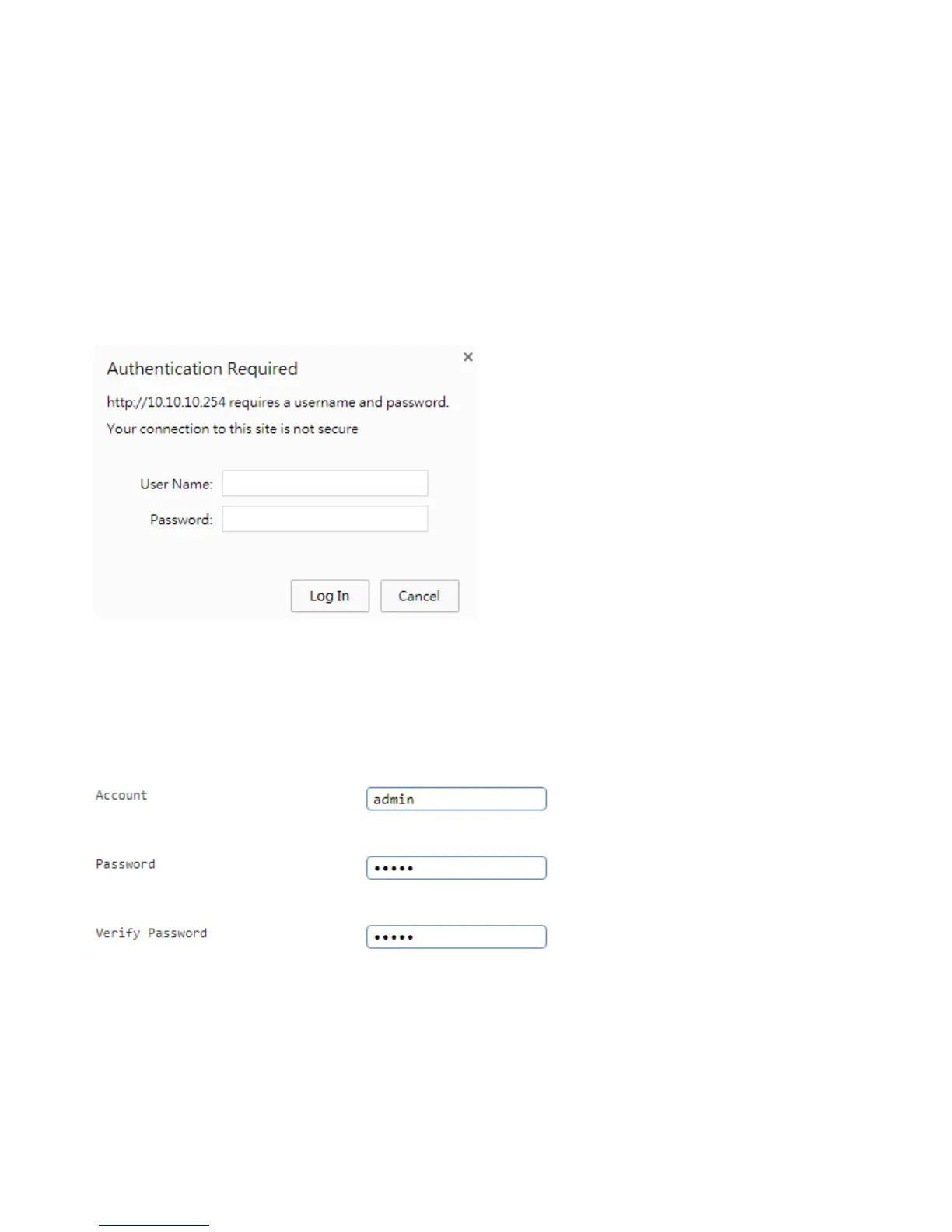
Please log management configuration interface, follow these steps:
1. Enter the wireless router on your web browser manual preset IP 10.10.10.254, such as Internet
Explorer, Firefox, Google chrome,
address: login window appears, enter the default login account and password. Default Account: admin
default password: admin
---------------------------------------------------------------------------------------
☆Note
Make sure You have to set TCP / IP to automatically obtain IP address
---------------------------------------------------------------------------------------
3. Enter network setup wizard, you must first log in to change the default router login password, modify
the finished press Next
4. Set the time zone for your country after net work Next,



 To Next Page