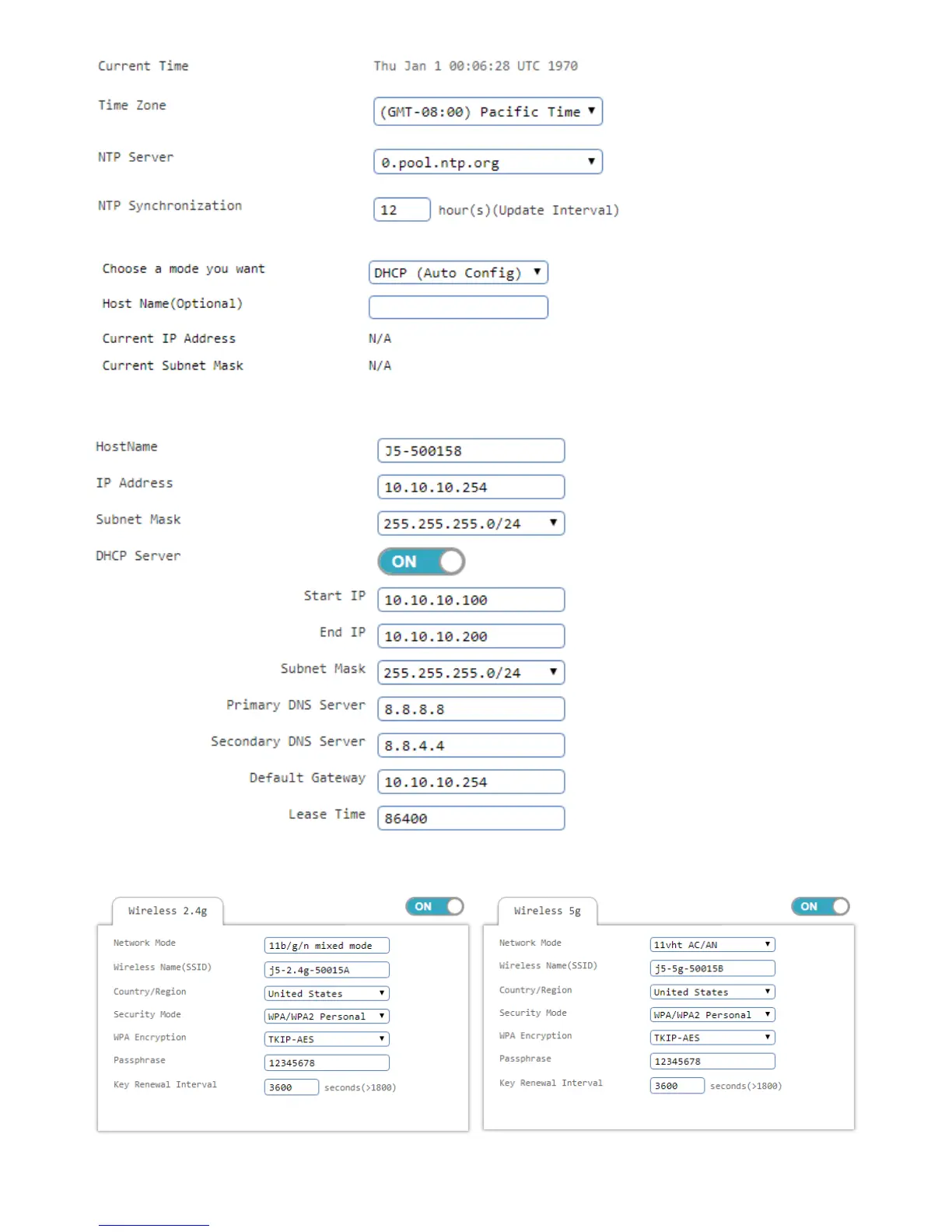
5. External settings to follow individual needs adjustment, press Nextafter
6. Internal network settings, according to personal needs adjustment, it is recommended to use the default
value confirmation press Next after confirmation.
7. The wireless network settings according to personal needs adjustment, it is recommended to modify the
default SSID 2.4G / 5G and authentication password, please complete after confirmation.



 To Next Page