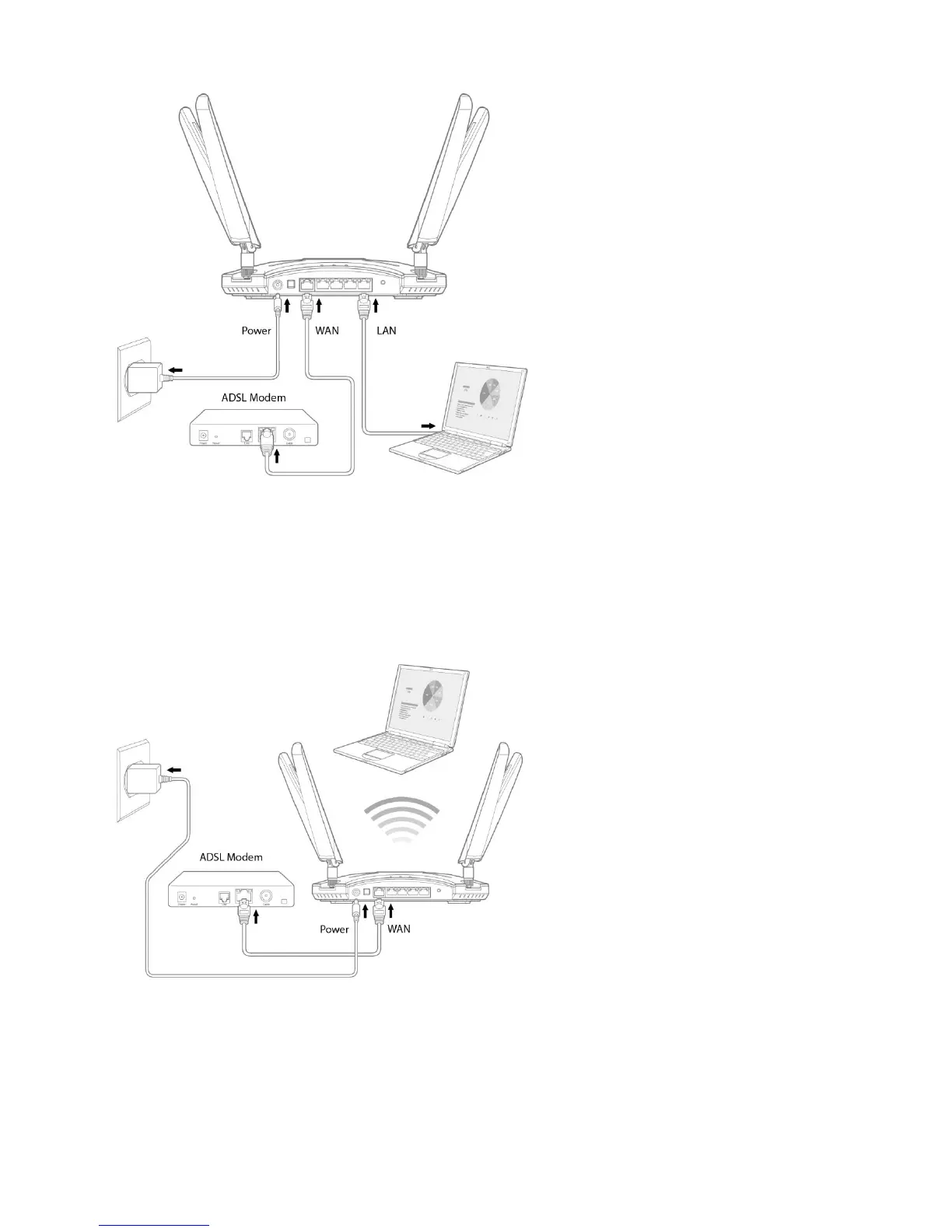
Wireless
1. connection the wireless router AC transformer insert DC-IN port and plug in the power supply input.
2. Comes with the web line your modem ISP router connected to the wireless WAN port
3. ISP data confirm that the power machine is ON
4. Using wireless card on the computer starts setting network
System settings TCP / IP setting
Windows system settings: TCP / IP to automatically obtain IP address
1 click start> Control Panel> network and Internet> network and sharing Center> manage network
connections.
2. Click Internet Protocol Version 4 (TCP / IPv4), then click on the content.



 To Next Page