50
JAGA NV | BRIZA JFCC | MANUEL | .. | V..
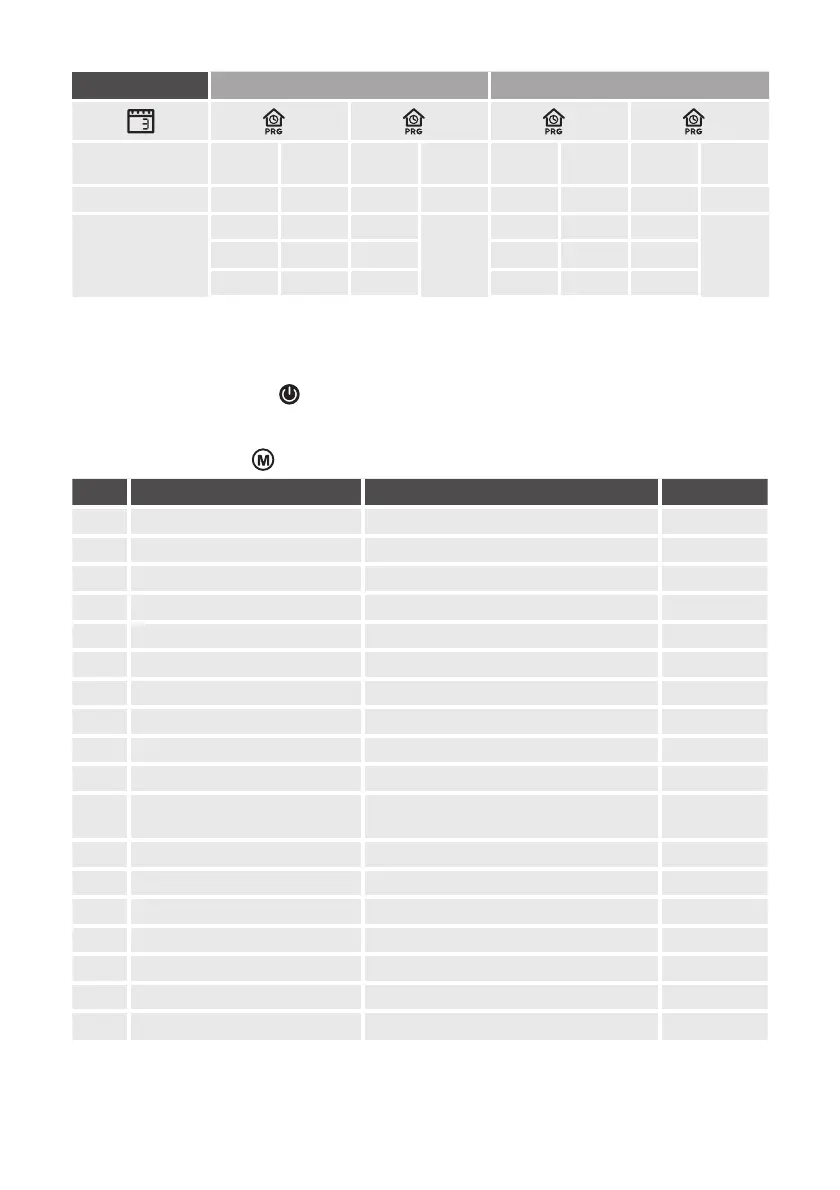
WEEK TIME ZONE TIME ZONE
. Monday - Sunday
On Temperature Off Temperature On Temperature Off Temperature
From until From until
From until From until
.
From until From until
From until From until
MENU DESCRIPTION SETTINGS DEFAULT
Temp. O set - °C - +°C °C
Maximum temperature + °C - +°C °C
Minimum temperature + °C - +°C °C
Display mode Room / Set / Room Set Room SET
Frost protection + °C - +°C °
Dead Band °C > +°C
Sensor selection Room / Floor / room fl oor room fl oor
-pipes/-pipes select /
(-V) select dead band or not : With dead band : Without dead band
Reboot memory O /LA (last) LA
Mode
Heating / Cooling / Heating + Cooling /
auto-change-over ( -pipe only )
Heating +
cooling
Fanspeed % - % - % / Auto mode %
Maximum fan speed %.% %
Medium fan speed %.% %
Low fan speed %.% %
°C - °F C/F °C
Factory reset
Re > Hold the [-] button for seconds
Software version .
Parameter settings
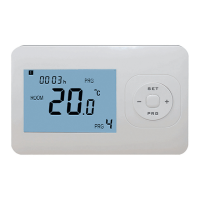
– switch the thermostat off with the “
“ button
– To enter the parameter menu, press the lower left corner of the screen for seconds, until “” appears.
– Adjust the settings with the “+” or “-“ button.
– Scroll through the menu with



 To Next Page