XT3 Setup XT3 User Manual
Janam Technologies LLC Version 1, March 2020 XT3 Setup 3—7
Device Security
Screen Lock Types
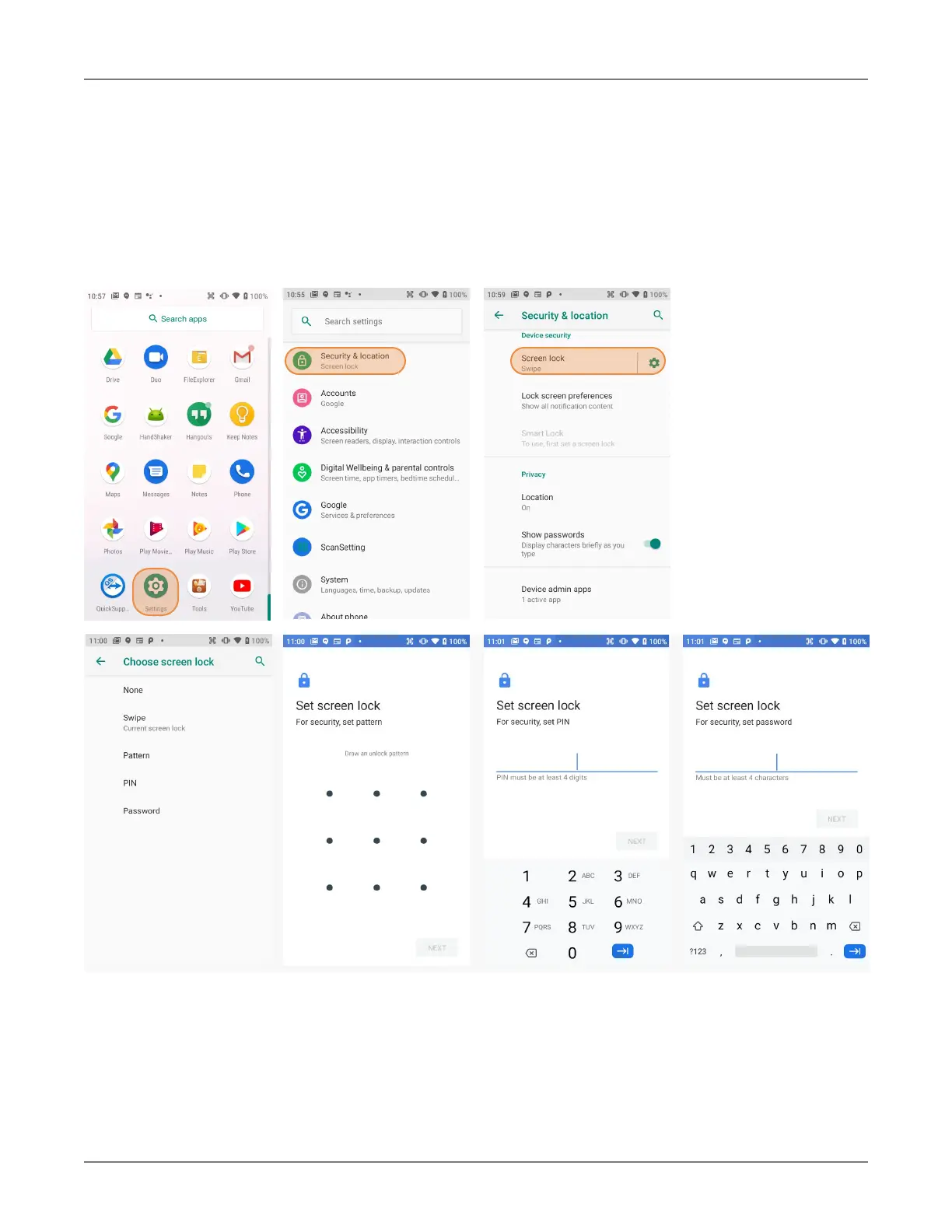
Android provides four lock screen options. Patterns must connect at least four unique dots, PINs must
be at least four digits long (but can be as long as 16), and passwords must be at least four characters
(but can also be as long as 16). To set, go to Settings > Security & location > Screen lock.
Changing Screen Lock Settings
Lock screen options can be changed anytime. You can go from PIN to pattern or password, etc. To
make a change, go to
Settings > Security & location > Screen lock. If you have lock screen
security in place, you must enter the code before you can change the screen lock type or code.


 To Next Page