Barcode Scanning XT3 User Manual
Janam Technologies LLC Version 1, March 2020 Barcode Scanning 9—1
Barcode Scanning
9
Using the 1D/2D Imager
Janam's XT3 is available with an integrated
1D/2D barcode scanner to eliminate the
challenges often associated with camera
scanners or bulky sled attachments.
Scanning with the Janam XT3
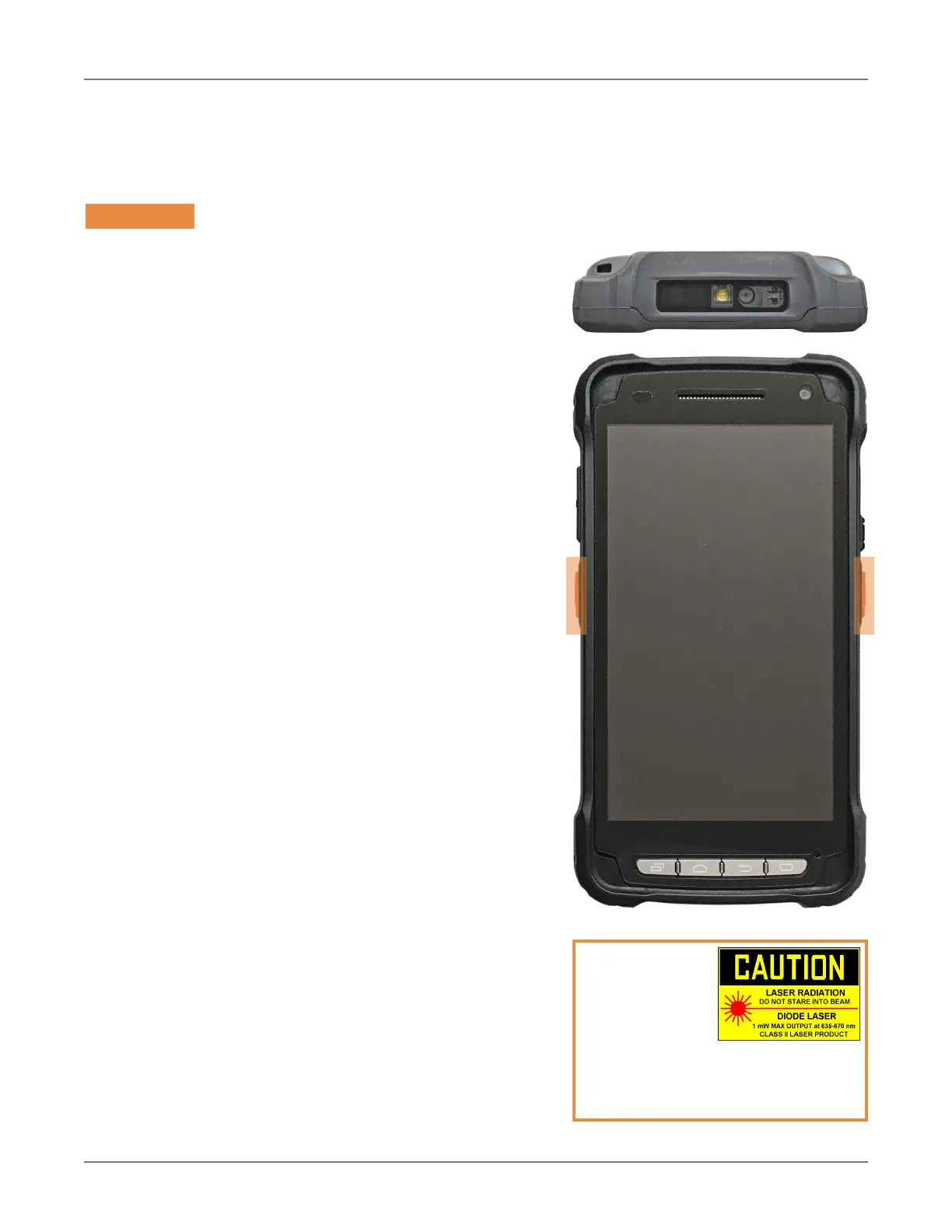
The XT3’s integrated barcode scan window
is located on the top edge of the device.
When triggered via
onscreen control or
one of the two scan buttons highlighted
in orange in the illustration to the right, the
barcode scanner emits a soft-edged rectan-
gular red lighted area that serves as a con-
firmation of scan triggering and as a general
targeting guide.
A bright, red aiming dot enables users to
easily select a single barcode to capture in a
field of barcodes.
CAUTION!
Never stare directly
into the barcode scan
beam emitted from
the barcode imager
window!
Never point the
barcode beam emitted from the barcode
imager window into the sightline of others!
Damage to eyesight can result as a result of
failure to adhere to these precautions.


 To Next Page