Page 17
ePump
™
Series Pumps, Installation and Operation Manual
Symptom Possible Cause/Solution
Pump will not start. No power to pump.
Make sure pump is properly connected to high voltage. LED on top of electronics enclosure
should be illuminated. See Section 3.2, Electrical Installation, in this manual.
Improper low-voltage wiring.
Check low-voltage wiring between pump and controller. Correct if necessary. See Section
3.2, Electrical Installation, in this manual.
Improper pump address setting.
Make sure that ePump dip switches 3 and 4 are set properly for the installation. Both
should be OFF for use with ePump controller or set to the proper address when connected
to an AquaLink
®
RS controller or an AquaLink
®
PDA. See Section 3.3, ePump Dip Switch
Settings, in this manual.
Fault condition exists.
View fault message on controller and correct fault before proceeding. If unsure how to
correct fault, contact technical support at 800.822.7933.
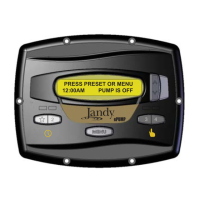
ePump controller LCD is not
displaying information
or
ePump LEDs are not illuminated.
Incorrect dip switch setting.
Make sure ePump dip switches 1 and 2 are both ON. See Section 3.3, ePump Dip Switch
Settings, in this manual.
Improper low-voltage wiring.
Check low-voltage wiring between pump and controller. Correct if necessary. See Section
3.2, Electrical Installation, in this manual.
Controller displays "Pump not
connected".
Improper low-voltage wiring.
Check low-voltage wiring between pump and controller. Correct if necessary. See Section
3.2, Electrical Installation, in this manual.
Improper pump address set.
Ensure ePump dip switches 3 and 4 are set properly for the installation. Both should
be OFF for use with ePump controller or set to the proper address when connected to
an AquaLink
®
RS controller or an AquaLink
®
PDA. See Section 3.3, ePump Dip Switch
Settings, in this manual.
Fault message appears on
controller display.
Fault condition exists.
View fault message on controller and correct fault before proceeding. If unsure how to
correct fault, contact technical support at 800.822.7933.


 To Next Page